maersk
Member 3


Joined: 17 Aug 2014
Posts: 891
|
 Posted: 07/04/2021 15:41 Post subject: WebNavigator in WinCC V7 incomplete printouts Posted: 07/04/2021 15:41 Post subject: WebNavigator in WinCC V7 incomplete printouts |
 |
|
Why are printouts from a control using the WebNavigator in WinCC V7 incomplete and the process data is missing?
https://support.industry.siemens.com/cs/document/109794225/
Faulty firewall settings and missing releases may cause print jobs started, for example from a TrendView or Alarm control, to be executed only partially.
Problem
A print job is to be started on a WebNavigator client from a WinCC V7 control (TrendView or Alarm control, for example).
The job is sent to the printer, but the process data is missing on the printout. However, frame, title and footer can be present.
The reason for the incomplete printout can be incorrect settings of the firewall or the file and printer sharing.
Perform the following steps to configure the firewall correctly:
Open "Control Panel > System and Security > Windows Defender Firewall".
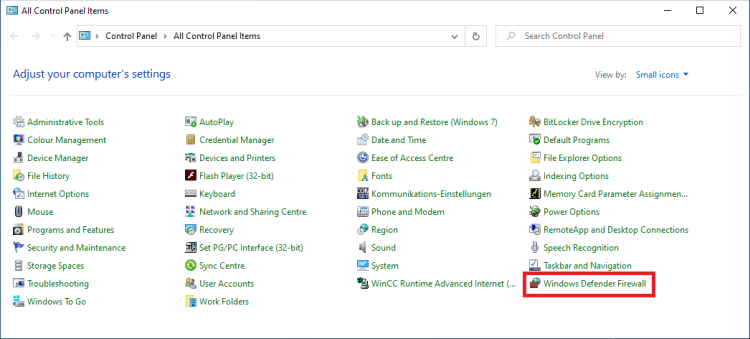
Fig. 1
In the navigation bar you click "Allow an app or feature through Windows Defender Firewall".
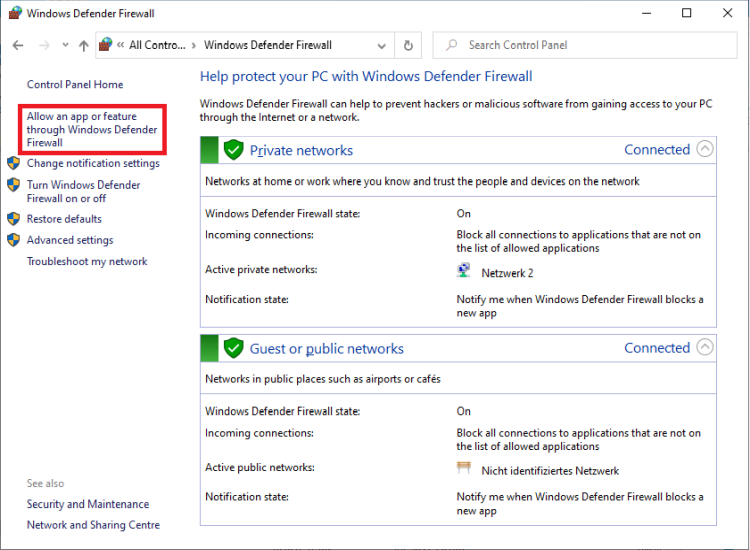
Fig. 2
In the "Allowed apps and features:" list you enable the item "File and Printer Sharing" for each profile concerned
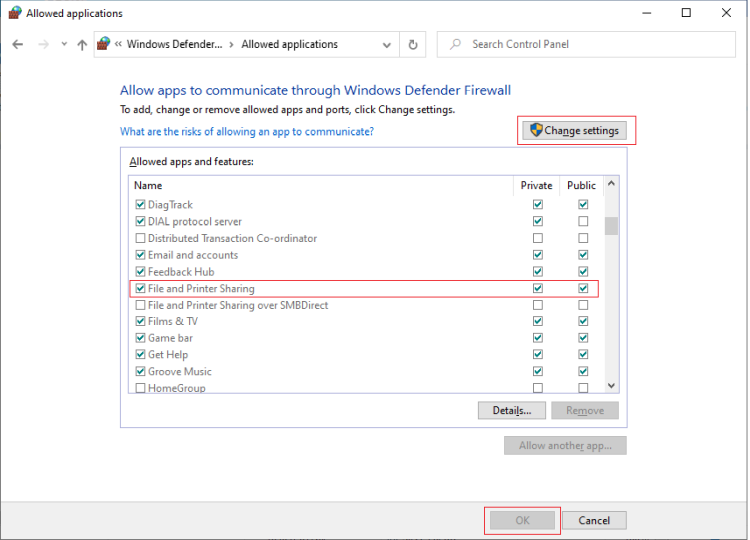
Fig. 3
Return to the Windows Defender Firewall home page.
In the navigation bar you click "Turn Windows Defender Firewall on or off".
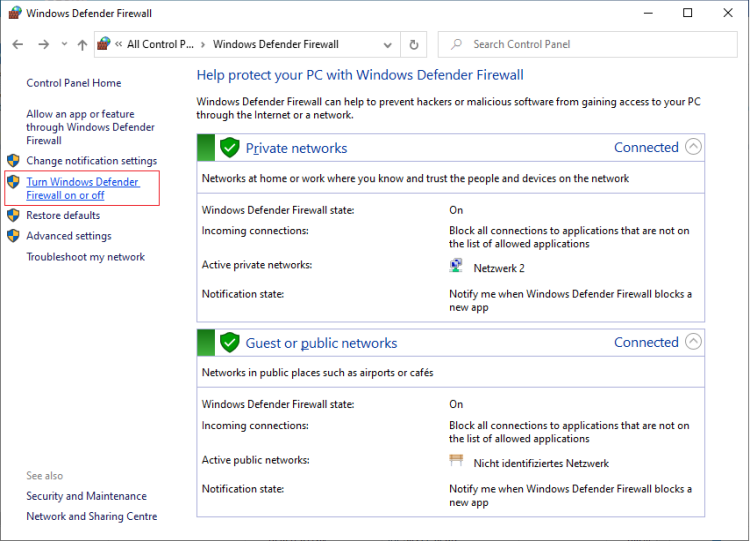
Fig. 4
If the firewall is enabled, disable the setting "Block all incoming connections, including those in the list of allowed applications".
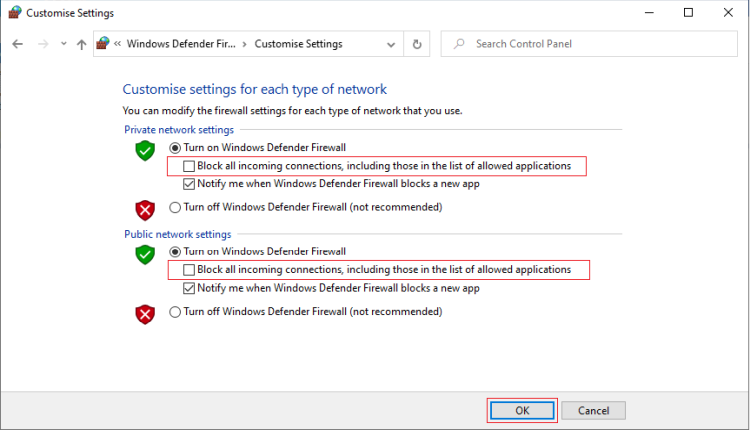
Fig. 5
Also make sure that file and printer sharing is enabled on the server and client side. |
|

 FAQ
FAQ Search
 Memberlist
 Usergroups
 Register
 Profile
 Log in to check your private messages
 Log in


