| View previous topic :: View next topic |
| Author |
Message |
vitezu
Junior

Joined: 10 May 2021
Posts: 9
|
 Posted: 10/05/2021 11:11 Post subject: Upload Lauer pcs 095 plus Posted: 10/05/2021 11:11 Post subject: Upload Lauer pcs 095 plus |
 |
|
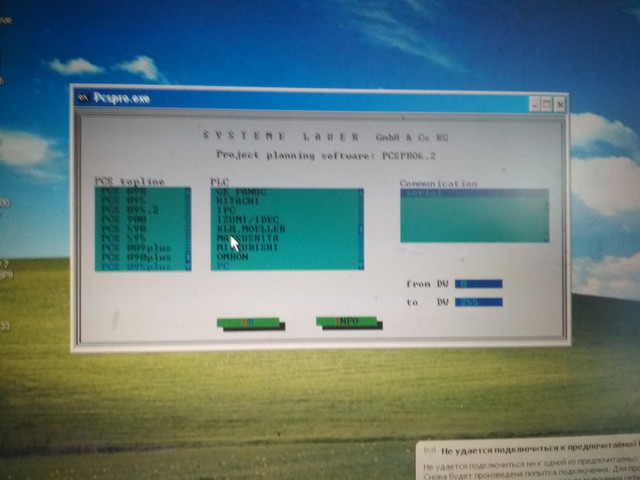
| Can anybody help me? I have Lauer pcs 095 plus (pcs095.m). It HMI has rs232 for programming. I install pcspro6.2 (where i can select my panel pccs095 plus). Can I use natural rs232-com cable or only unic pcs 733 (I dont have) for upload program??? Thanks |
|
| Back to top |
|
 |
ssss
Junior
Joined: 14 Nov 2017
Posts: 9
|
| Posted: 10/05/2021 12:44 Post subject: Re: Upload Lauer pcs 095 plus |
|
|
| vitezu wrote: | | Can anybody help me? I have Lauer pcs 095 plus (pcs095.m). It HMI has rs232 for programming. I install pcspro6.2 (where i can select my panel pccs095 plus). Can I use normal rs232-com cable or only special pcs 733 (I dont have) for upload program??? Thanks |
check this out
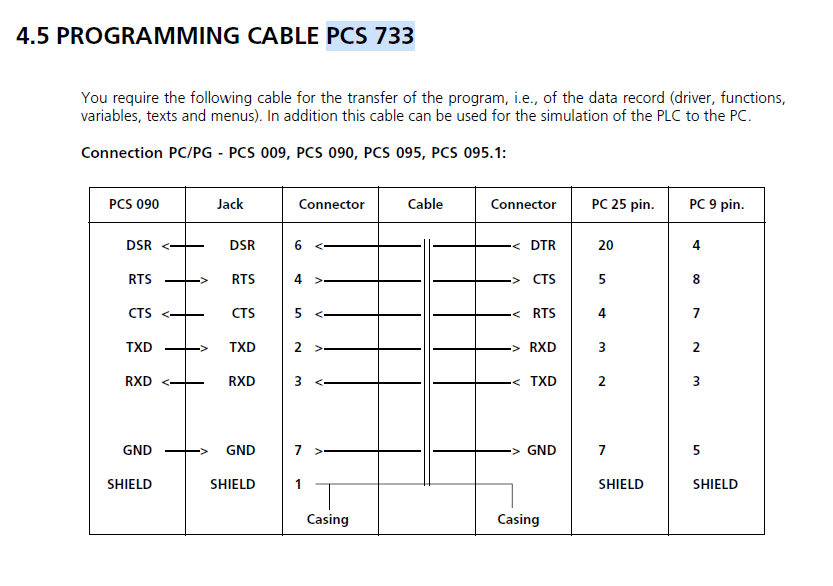
https://nicontrols.com/media/pdfs/PCS095-manual.pdf |
|
| Back to top |
|
|
ssss
Junior
Joined: 14 Nov 2017
Posts: 9
|
| Posted: 28/07/2021 15:15 Post subject: |
|
|
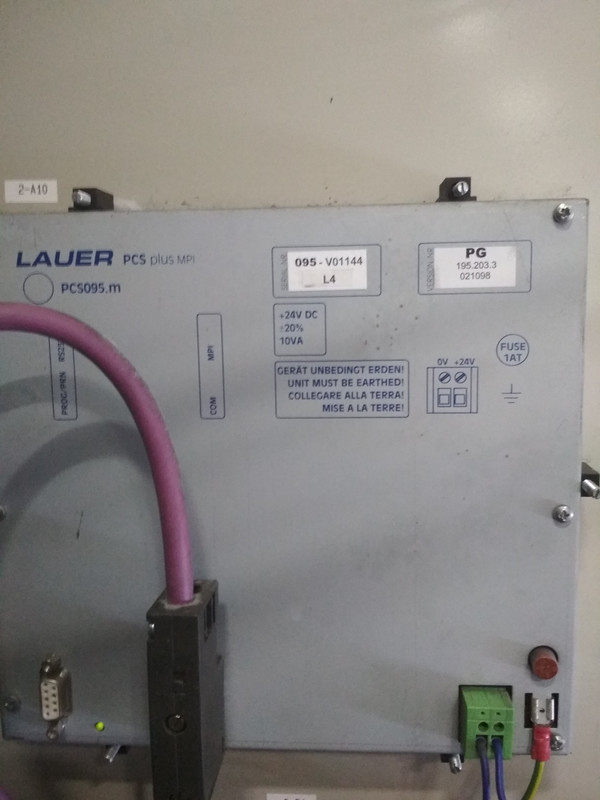
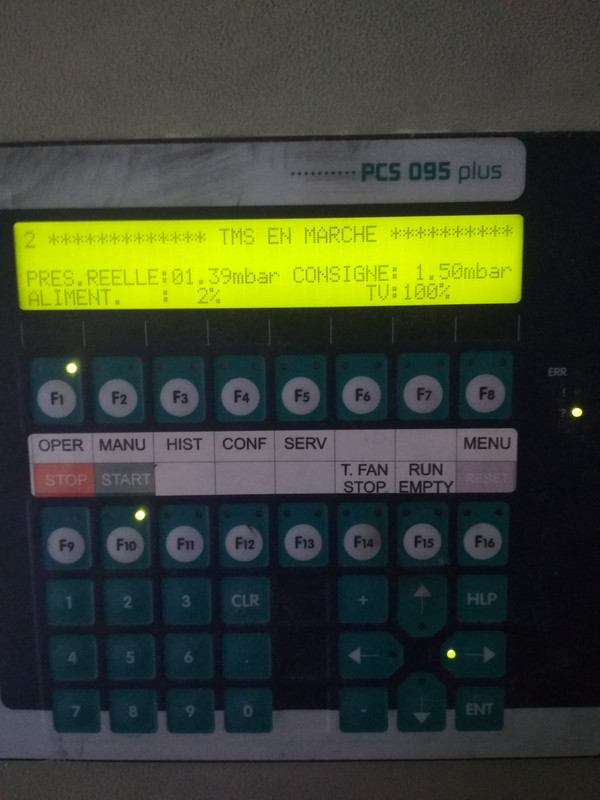
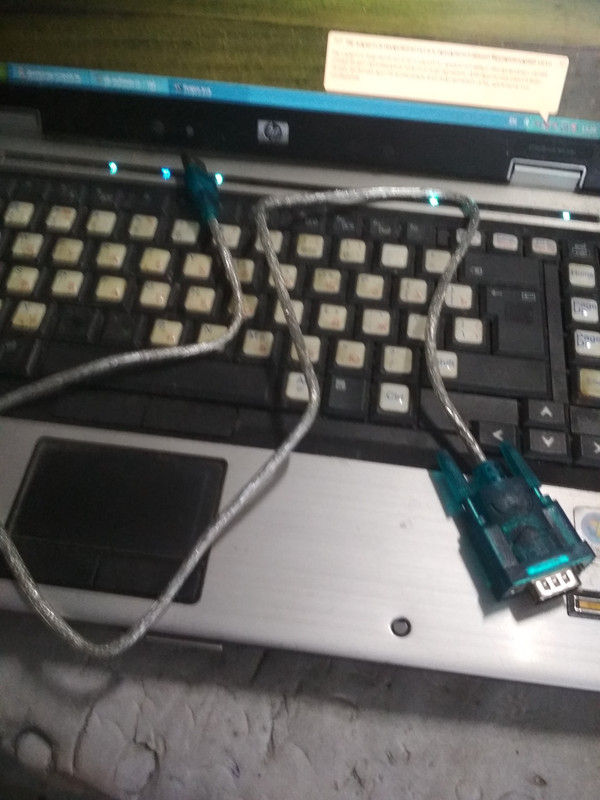
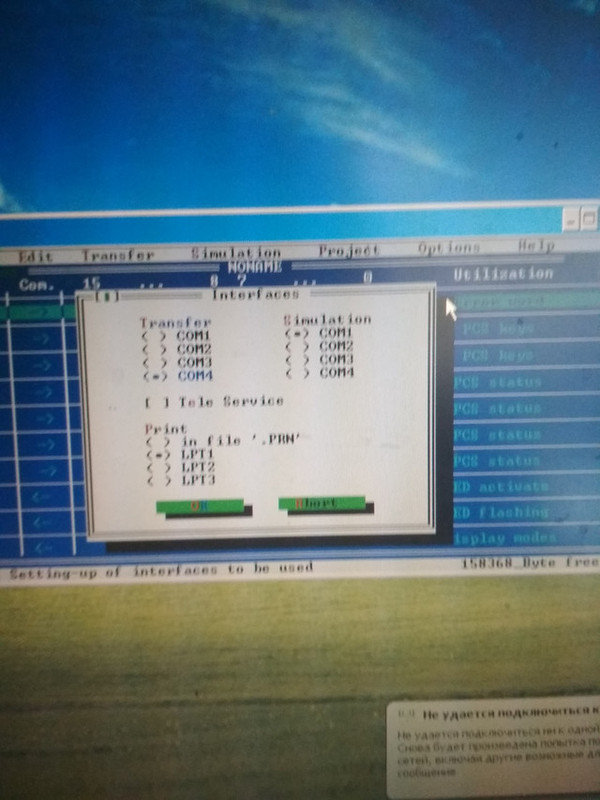
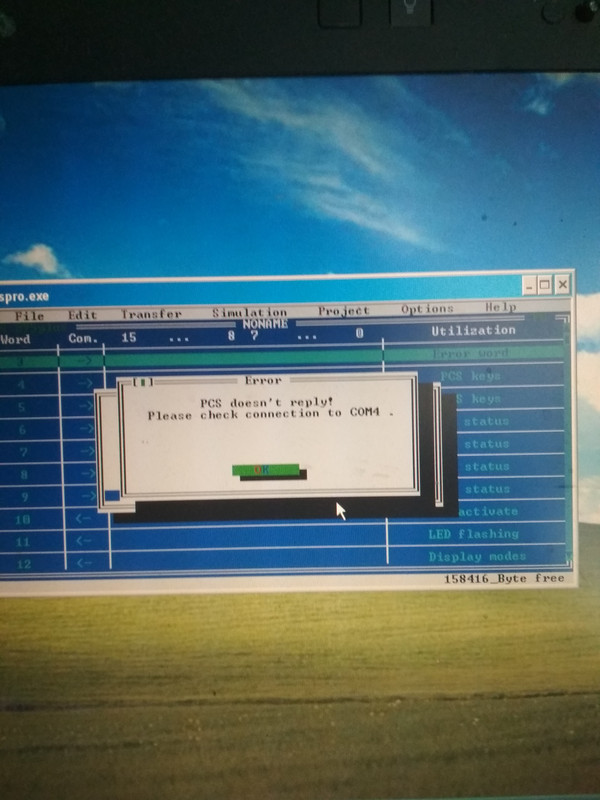
What cable
 |
|
| Back to top |
|
|
ceh222
Junior
Joined: 26 Jul 2021
Posts: 4
Location: Slovakia
|
| Posted: 30/07/2021 20:38 Post subject: |
|
|
for serial RS232
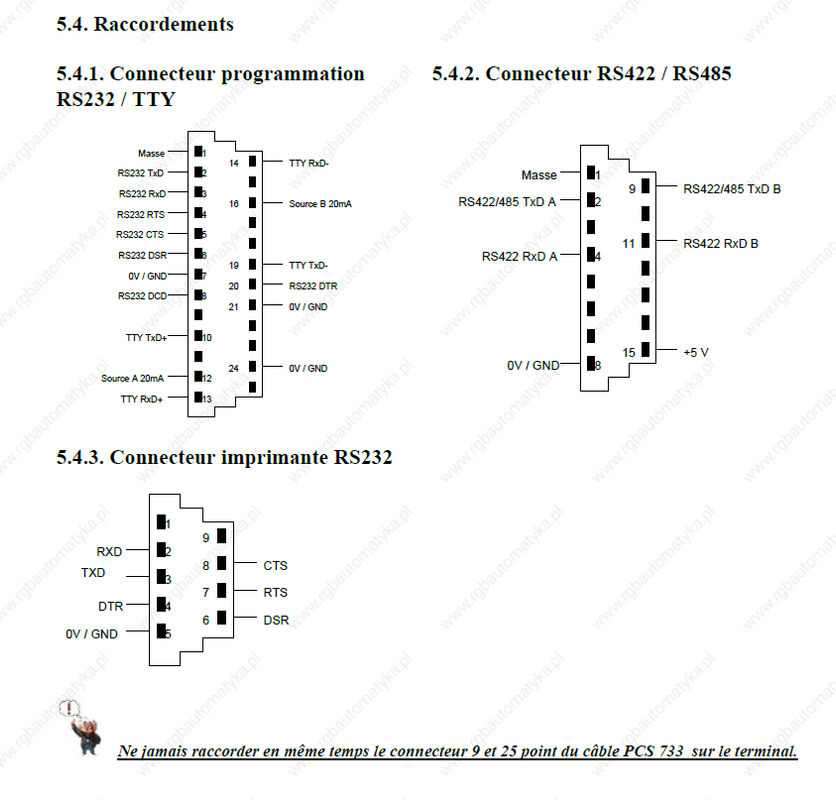
for RS422 you have to use an adapter for RS422/RS485
check this
https://www.rgbautomatyka.pl/es/p/file/9fb9e47bef25583293eebca501e055e6/PCS095.P-PCS-OPERATOR-PANEL-LAUER-MANUAL.pdf |
|
| Back to top |
|
|
ceh222
Junior
Joined: 26 Jul 2021
Posts: 4
Location: Slovakia
|
| Posted: 30/07/2021 21:14 Post subject: |
|
|
Programing of the PCS is done with the menu „TRANSFER“. On selection
of this menu point the created data record will be compiled and
transfered into the PCS. The setting of the transfer baud rate (DIL 7 to
the PCS) is automatically taken into consideration by the project planning
software.
DIL 7 ON = 115 kBaud transfer rate
DIL 7 OFF = 37.5 kBaud transfer rate
The setting of the PC-Interfaces requisitioned for the programming and
simulation is done in the menu „OPTIONS“ under the heading „INTERFACES
“.
Driver parameter The configuration of the driver software is undertaken with the „DRIVER
PARAMETERS“ in the pull down menu „PROJECT“. In the selection field
„INTERFACE“, differing interface configurations can be assigned to the
various DIL switch positions, (DIL5/6) at the PCS. If the respective arrow
button is chosen, then the possible settings will be displayed. They in
turn can be taken over by actitvating the [ENTER] key, i.e. the left mouse
button. In selecting the L1 driver, the programmer has the possibility of
choosing between TTY, RS232 and TTY Timeout * 10. The setting of „TTY
Timeout * 10“ is proposed for the application of the PCS along with the
AUTOMUX PCS 809 at the AG-interface of the SIEMENS controls.
The precise significance of the individual driver settings can be gleaned
from the corresponding manuals PCS 91.SIE, PCS 91.AEG, PCS 91.BOS
etc. |
|
| Back to top |
|
|
vitezu
Junior
Joined: 10 May 2021
Posts: 9
|
| Posted: 12/08/2021 08:40 Post subject: Re: Upload Lauer pcs 095 plus |
|
|
| ssss wrote: | | vitezu wrote: | | Can anybody help me? I have Lauer pcs 095 plus (pcs095.m). It HMI has rs232 for programming. I install pcspro6.2 (where i can select my panel pccs095 plus). Can I use normal rs232-com cable or only special pcs 733 (I dont have) for upload program??? Thanks |
check this out
https://nicontrols.com/media/pdfs/PCS095-manual.pdf |
But this pinout for 25pin, my panel has 9pin rs232. I try connected on this pinout, but result was the same. Winxp+Dosbox, pcspro6.2
 |
|
| Back to top |
|
|
vitezu
Junior
Joined: 10 May 2021
Posts: 9
|
| Posted: 12/08/2021 13:08 Post subject: |
|
|
hh
Last edited by vitezu on 12/08/2021 13:15; edited 2 times in total |
|
| Back to top |
|
|
vitezu
Junior
Joined: 10 May 2021
Posts: 9
|
| Posted: 12/08/2021 13:11 Post subject: |
|
|
| ceh222 wrote: | Programing of the PCS is done with the menu „TRANSFER“. On selection
of this menu point the created data record will be compiled and
transfered into the PCS. The setting of the transfer baud rate (DIL 7 to
the PCS) is automatically taken into consideration by the project planning
software.
DIL 7 ON = 115 kBaud transfer rate
DIL 7 OFF = 37.5 kBaud transfer rate
The setting of the PC-Interfaces requisitioned for the programming and
simulation is done in the menu „OPTIONS“ under the heading „INTERFACES
“.
Driver parameter The configuration of the driver software is undertaken with the „DRIVER
PARAMETERS“ in the pull down menu „PROJECT“. In the selection field
„INTERFACE“, differing interface configurations can be assigned to the
various DIL switch positions, (DIL5/6) at the PCS. If the respective arrow
button is chosen, then the possible settings will be displayed. They in
turn can be taken over by actitvating the [ENTER] key, i.e. the left mouse
button. In selecting the L1 driver, the programmer has the possibility of
choosing between TTY, RS232 and TTY Timeout * 10. The setting of „TTY
Timeout * 10“ is proposed for the application of the PCS along with the
AUTOMUX PCS 809 at the AG-interface of the SIEMENS controls.
The precise significance of the individual driver settings can be gleaned
from the corresponding manuals PCS 91.SIE, PCS 91.AEG, PCS 91.BOS
etc. |
Pcs 095 plus doesnt have DIL switches. The photo of connection panel from manual pcs 095 plus is the same as over.

Iwill try again in windows 98 |
|
| Back to top |
|
|
vitezu
Junior
Joined: 10 May 2021
Posts: 9
|
| Posted: 17/08/2021 15:45 Post subject: |
|
|
I had a successful connection only in Dos. I see file project and two demo in the panel, but when I did upload file, get the error.

But I dont have switch on panel for transfer! Help please |
|
| Back to top |
|
|
|

 FAQ
FAQ Search
 Memberlist
 Usergroups
 Register
 Profile
 Log in to check your private messages
 Log in


