AnteSavilt
Member 2


Joined: 13 Feb 2018
Posts: 264
Location: Croatia
|
 Posted: 22/07/2021 16:04 Post subject: TIA Portal Silent Installer Posted: 22/07/2021 16:04 Post subject: TIA Portal Silent Installer |
 |
|
TIA Portal Silent Installer
https://support.industry.siemens.com/cs/document/109477685/
The TIA Portal Silent Installer takes on the automatic installation of several TIA Portal software packages, after a single selection of settings.
During the installation of TIA products (e.g. STEP 7, WinCC, Startdrive, …) the setup of the individual software packages is executed successively. Additionally, several inputs need to be made (e.g. installation path, ...). This installation process may take some time since many products may need to be installed in succession, including the necessary interactions and restarts. The user must therefore always make the required inputs to continue the installation.
To make the installation of several TIA Portal software products more convenient, the TIA Portal Silent Installer needs to be developed.
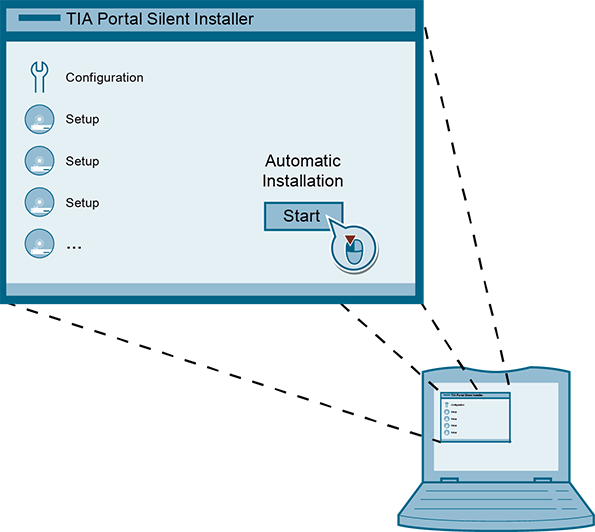
The TIA Portal Silent Installer takes on the complete installation of all products after first start of the program. Only one input is required from the user at the beginning.
In the TIA Portal Silent Installer you can install several SIA (Siemens Installer Assistant) files and install these automatically with all restarts and inputs. You can make rarisim settings for each setup or select the same settings for all SIA file.
https://support.industry.siemens.com/cs/attachments/109477685/109477685_TIA_Portal_Silent_Installer_DOKU_v10_en.pdf
https://support.industry.siemens.com/cs/attachments/109477685/109477685_TIA_Portal_Silent_Installer_CODE_v10.zip
https://ulozto.net/tamhle/AuoPY4OzME1L/
https://anonfiles.com/f9Dcf688uc/109477685_TIA_Portal_Silent_Installer_CODE_v10_zip
https://anonfiles.com/h5Dafe80u3/109477685_TIA_Portal_Silent_Installer_DOKU_v10_en_pdf |
|

 FAQ
FAQ Search
 Memberlist
 Usergroups
 Register
 Profile
 Log in to check your private messages
 Log in


