 |
plc.myforum.ro
PLCs users www.plc.myforum.ro!
|
| View previous topic :: View next topic |
| Author |
Message |
fritz
Member


Joined: 26 Dec 2015
Posts: 179
|
 Posted: 03/05/2019 13:16 Post subject: SIRIUS Sim Posted: 03/05/2019 13:16 Post subject: SIRIUS Sim |
 |
|
SIRIUS Sim
https://support.industry.siemens.com/cs/document/109763750/sirius-sim
SIRIUS Sim 3SK2, the simulation software for 3SK2 safety relays, for getting to know devices, trying them out, and for offline engineering. SIRIUS and Safety now move on to the next step in digitalization and are well on the way to Industry 4.0
The SIRIUS Sim 3SK2 simulation environment behaves just like the real safety relay, and thus enables applications to be created and tested in the simulator quickly and easily. In this way, you can better familiarize yourself with the devices which will enable you to make an appropriate selection, or you can already create and test parameter settings for subsequent applications. Just as for real devices, the parameters for device response are set in Safety ES. A comprehensive selection of sensors and actuators is available in the simulator for the simulation of applications.
A number of typical ready-made application examples are supplied with the software to help you to get to know the devices. So no additional engineering software is necessary for the first steps.
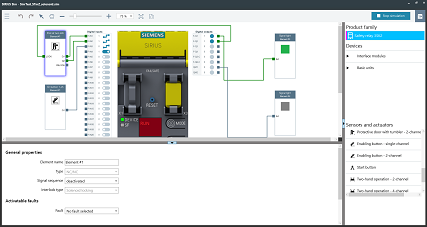
What features are provided in SIRIUS Sim 3SK2?
Simulation of real device behavior
Testing of already created applications for stand-alone operation
Simple operation and comprehensive selection of sensors and actuators for creating your own applications
Parameterization, commissioning and diagnostics of the simulated device with an interface to Safety ES (Safety ES V1.0 SP3 required)
Simulation of malfunctions of sensors and actuators in order to test whether these faults are detected by the device
https://support.industry.siemens.com/cs/attachments/109763750/SIRIUS_Simulator_V1.exe
https://support.industry.siemens.com/cs/attachments/109763750/Readme_SIRIUSSIM_V1.zip |
|
| Back to top |
|
 |
Jadu345
Junior 2

Joined: 29 Oct 2018
Posts: 32
|
| Posted: 06/03/2021 14:16 Post subject: SIRIUS Sim |
|
|
SIRIUS Sim
https://support.industry.siemens.com/cs/document/109763750/
The SIRIUS Sim simulation environment behaves just like the real devices, and thus enables applications to be created and tested in the simulator quickly and easily. In this way, you can better familiarize yourself with the devices which will enable you to make an appropriate selection, or you can already create and test parameter settings for subsequent applications. A comprehensive selection of sensors and actuators is available in the simulator for the simulation of applications.
A number of typical ready-made application examples are supplied with the software to help you to get to know the devices. So no additional engineering software is necessary for the first steps.
Starting with the new SIRIUS Sim V2.0, the SIRIUS 3RW55 soft starters are supported.
What features are provided in SIRIUS Sim 3RW55?
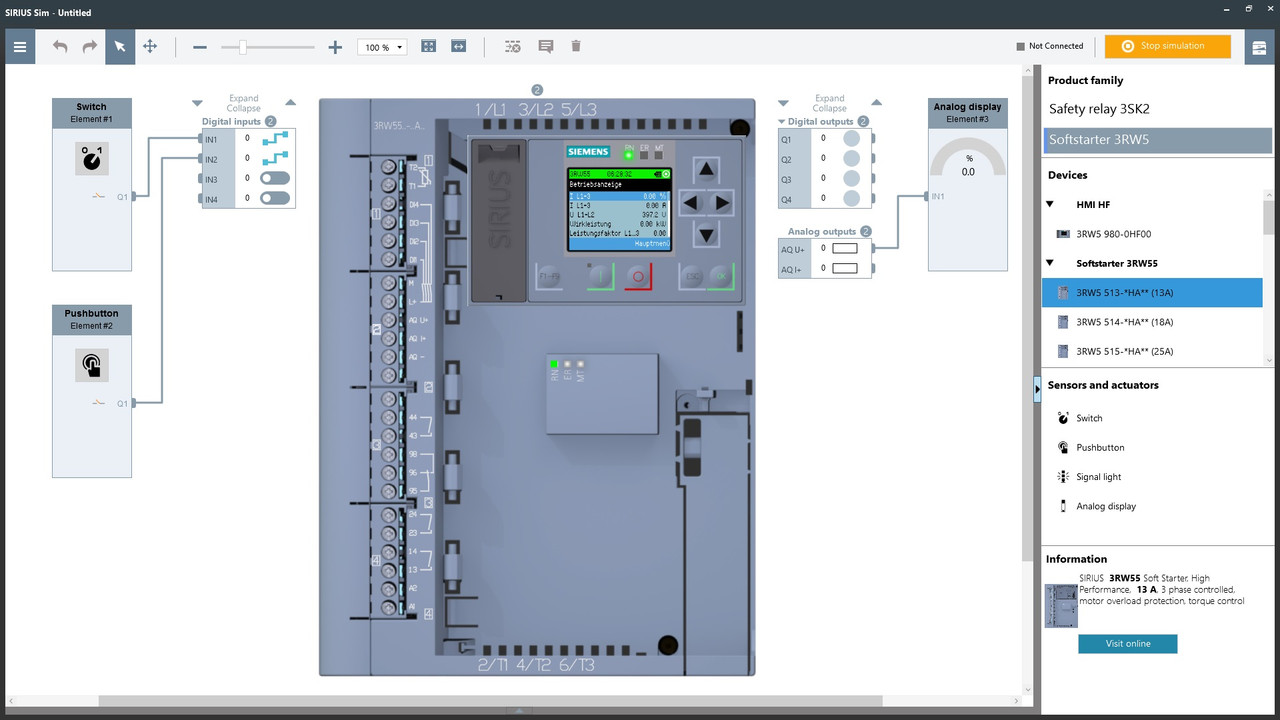
Complete parameterization of the SIRIUS 3RW55 High Performance soft starters
Complete navigation with the same menu structure as on the HMI
Optional storage of the parameterization on a micro SD card for transfer to the real soft starter
Simulation of start-up and shut-down including operating phases
Simulation of different fault states
What features are provided in SIRIUS Sim 3SK2?
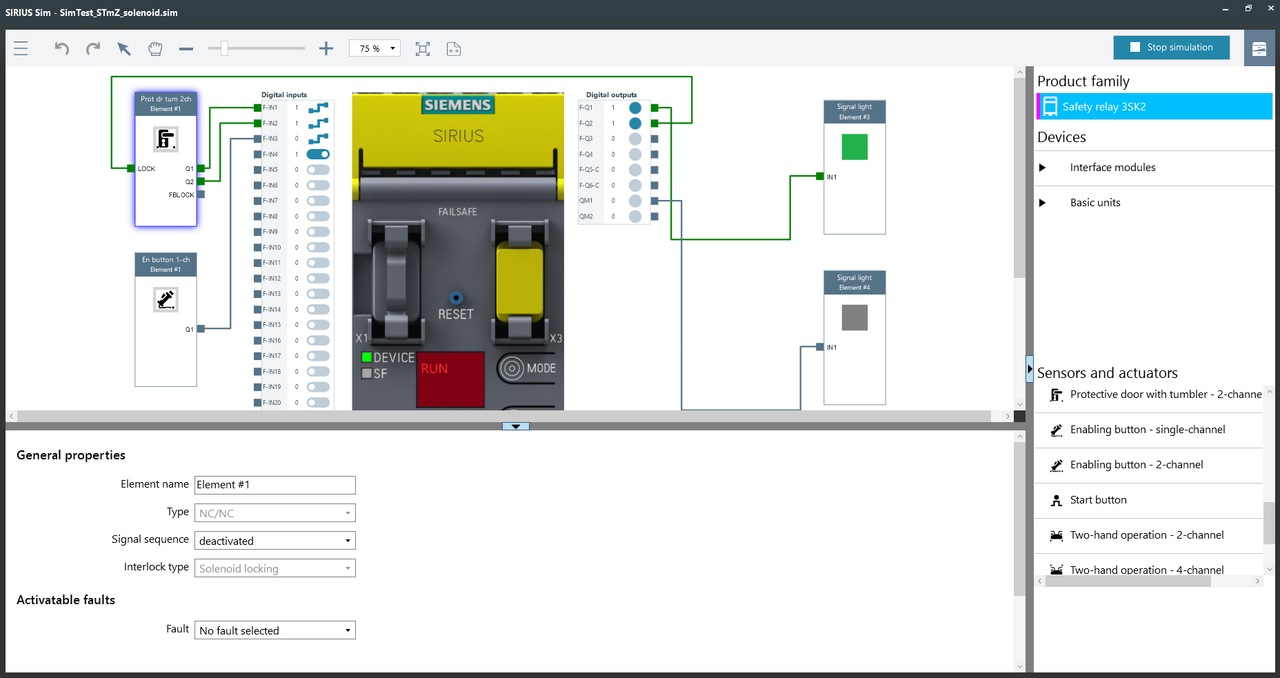
Support of SIRIUS 3SK2 safety relays and SIRIUS 3SK1 output expansions
Display of the connection status to the ES tool: The connection status to the engineering software is displayed in the simulator. So it becomes clear at first glance whether the simulator is connected to the ES tool.
Simulation of malfunctions of sensors and actuators in order to test whether these faults are detected by the device
Download
https://support.industry.siemens.com/cs/attachments/109763750/Readme_SIRIUS_SIM_V2.0.zip
https://support.industry.siemens.com/cs/attachments/109763750/SIRIUS_Sim_V2.exe
https://ulozto.net/tamhle/Q4sjZ6h15YME/
[url=https://www106.zippyshare.com/v/YFSCsBr1/file.html]Readme_SIRIUS_SIM_V2.0.zip[/url]
[url=https://www106.zippyshare.com/v/m2CKjuYQ/file.html]SIRIUS_Sim_V2.exe[/url]
https://anonfiles.com/L2U7A2Ffqd/Readme_SIRIUS_SIM_V2.0_zip
https://anonfiles.com/V1P4E1Feq8/SIRIUS_Sim_V2_exe |
|
| Back to top |
|
|
Jadu345
Junior 2
Joined: 29 Oct 2018
Posts: 32
|
| Posted: 28/04/2021 22:08 Post subject: SIRIUS Sim |
|
|
SIRIUS Sim
https://support.industry.siemens.com/cs/document/109763750/
SIRIUS Sim, the simulation software for 3SK2 safety relays and 3RW55 soft starters, for becoming acquainted, testing and offline engineering. SIRIUS, Safety and soft starters now move on to the next step in digitalization and are well on the way to Industrie 4.0
The SIRIUS Sim simulation environment behaves just like the real devices, and thus enables applications to be created and tested in the simulator quickly and easily. In this way, you can better familiarize yourself with the devices which will enable you to make an appropriate selection, or you can already fabricate and test parameter settings for subsequent applications. A comprehensive selection of sensors and actuators is available in the simulator for the simulation of applications.
A number of typical ready-made application examples are supplied with the software to help you to get to know the devices. So no additional engineering software is necessary for the first steps.
Starting with the new SIRIUS Sim V2.0, the SIRIUS 3RW55 soft starters are supported.
General functions
Comment function: Comments can be placed in the logic diagram of the simulator.
Simple exchange of devices and elements: When exchanging devices and elements, the connections are retained and do not need to be re-created.
What features are provided in SIRIUS Sim 3RW55?
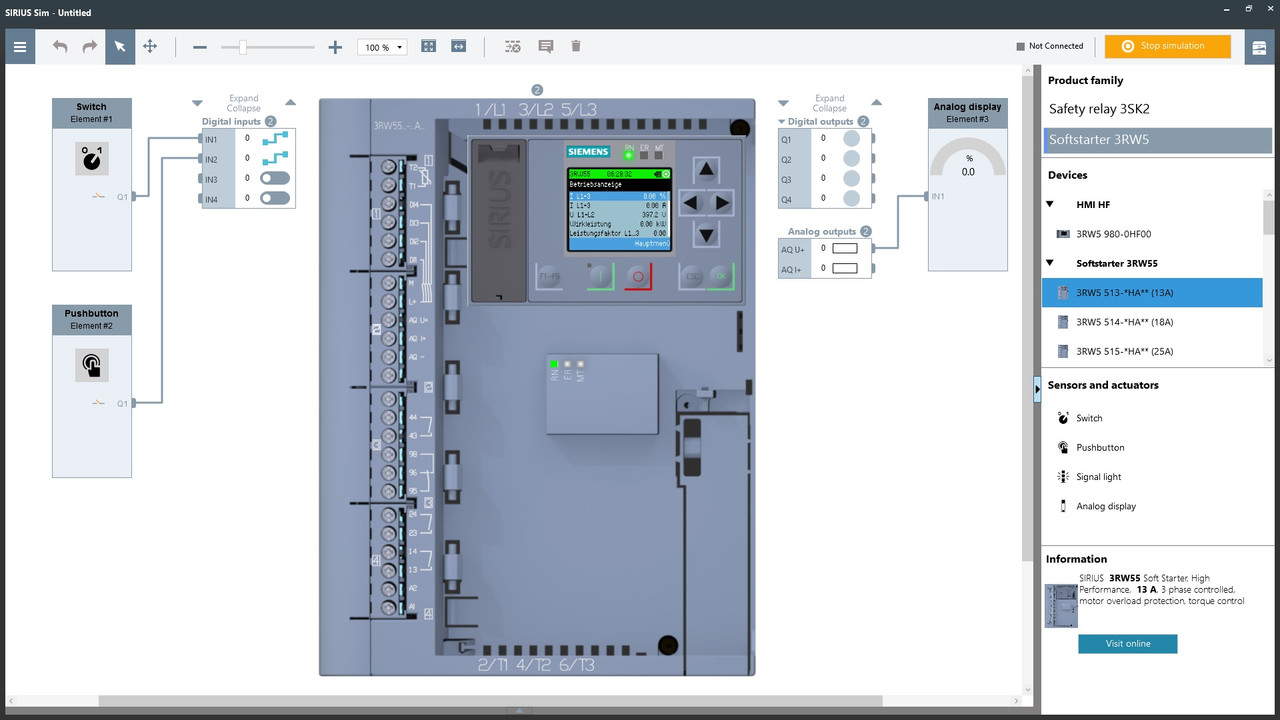
Complete parameterization of the SIRIUS 3RW55 High Performance soft starters
Complete navigation with the same menu structure as on the HMI
Optional storage of the parameterization on a micro SD card for transfer to the real soft starter
Simulation of start-up and shut-down including operating phases
Simulation of different fault states
What features are provided in SIRIUS Sim 3SK2?
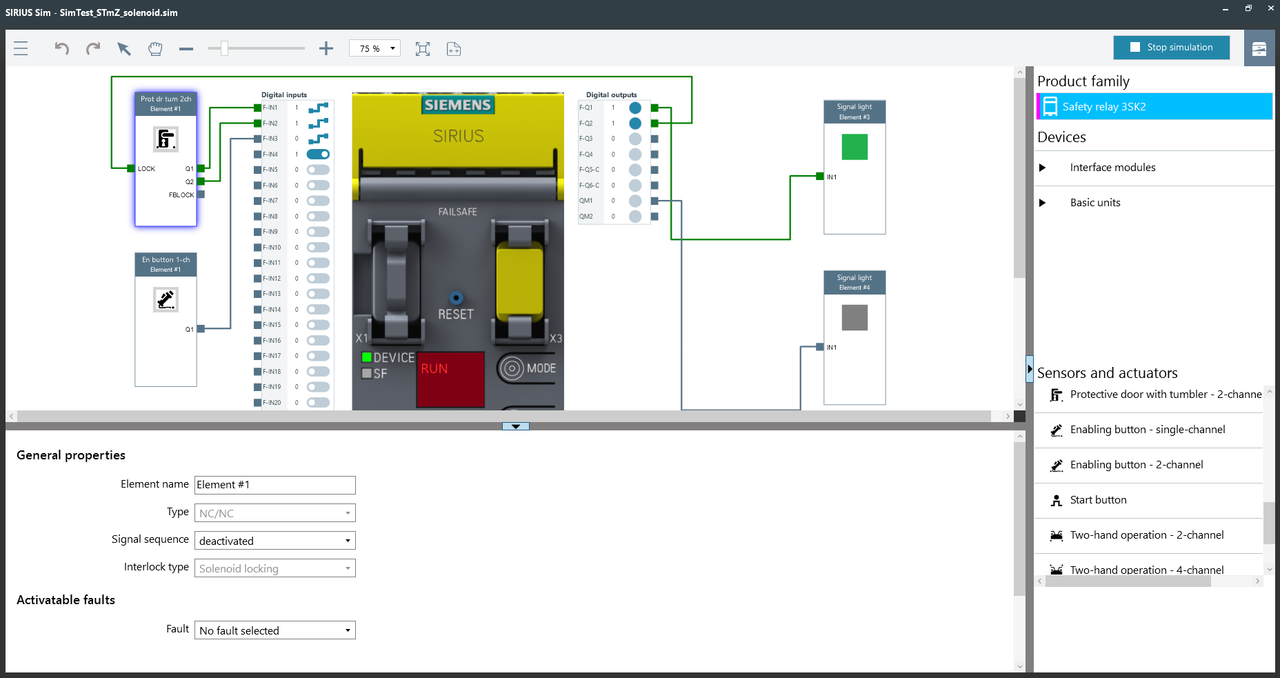
Support of SIRIUS 3SK2 safety relays and SIRIUS 3SK1 output expansions
Display of the connection status to the ES tool: The connection status to the engineering software is displayed in the simulator. So it becomes clear at first glance whether the simulator is connected to the ES tool.
Simulation of malfunctions of sensors and actuators in order to test whether these faults are detected by the device
https://support.industry.siemens.com/cs/attachments/109763750/SIRIUS_Sim_V2_SP1.exe
https://ulozto.net/file/VE178oKvysB3/sirius-sim-v2-sp1-exe
[url=https://www106.zippyshare.com/v/4vBIym6T/file.html]SIRIUS_Sim_V2_SP1.exe[/url]
https://anonfiles.com/leu48ft5u2/SIRIUS_Sim_V2_SP1_exe |
|
| Back to top |
|
|
mamiko
Member 2


Joined: 25 Dec 2017
Posts: 420
|
| Posted: 23/05/2024 19:41 Post subject: SIRIUS Sim Simulation Tool for Soft Starters (STS) |
|
|
SIRIUS Sim
https://support.industry.siemens.com/cs/document/109763750/
https://support.industry.siemens.com/cs/attachments/109763750/SIRIUS_Sim_V2_5.exe
Simulation Tool for Soft Starters (STS)
https://support.industry.siemens.com/cs/document/101494917/
https://support.industry.siemens.com/cs/attachments/101494917/STS_V6_0_Setup.exe
Download Url File name
https://dfiles.eu/files/2iav2s2kt STS_V6_0_Setup.exe
https://dfiles.eu/files/97v6f4b8z SIRIUS_Sim_V2_5.exe
https://dfiles.eu/files/dki345xww Readme_V2.5.zip
https://dfiles.eu/files/ek5x5s28j STS_Template_Motor_Load_data_20240521.xlsm |
|
| Back to top |
|
|
|
|
You cannot post new topics in this forum
You cannot reply to topics in this forum
You cannot edit your posts in this forum
You cannot delete your posts in this forum
You cannot vote in polls in this forum
|
Powered by phpBB © 2001, 2005 phpBB Group
Fa-ti si tu propriul forum GRATUIT, pe www.myforum.ro |
 FAQ
FAQ Search
 Memberlist
 Usergroups
 Register
 Profile
 Log in to check your private messages
 Log in


