 |
plc.myforum.ro
PLCs users www.plc.myforum.ro!
|
| View previous topic :: View next topic |
| Author |
Message |
grig100
Member 3


Joined: 01 Jan 2015
Posts: 752
|
 Posted: 13/11/2019 17:57 Post subject: SINUMERIK control with HMI-Advanced - Setting the proxy Posted: 13/11/2019 17:57 Post subject: SINUMERIK control with HMI-Advanced - Setting the proxy |
 |
|
SINUMERIK control with HMI-Advanced - Setting the proxy
To establish a connection to MindSphere, TLS 1.2 Support must be activated.
The description can be found in the following manual: SINUMERIK Integrate Installation Manual
Start the SINUMERIK control system in the Windows service mode.
Open the installation directory.
Start the "setup.exe" setup file by double-clicking.
If you have not installed the appropriate Internet Explorer, a message will appear indicating this, e.g. "The program requires Internet Explorer 6 or higher".
Installation is canceled and you must install the appropriate Internet Explorer first.
Then restart the client installation.
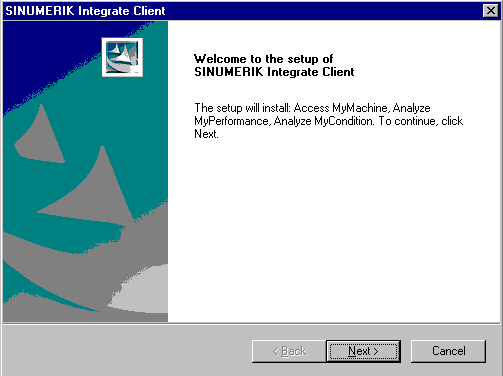
The welcome dialog box opens.
The installation language is English.
Click "Next >" to start the installation.
The "License Agreement" window opens.
Read the license agreement.
Click "Print" if you want to print out the terms.
Then activate the "I accept the terms of the license agreement" checkbox and click "Next >".
- OR -
Click "<Back>".
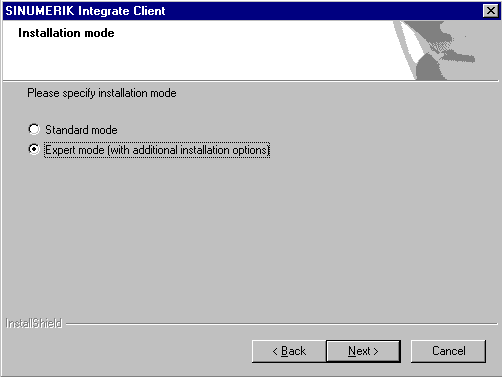
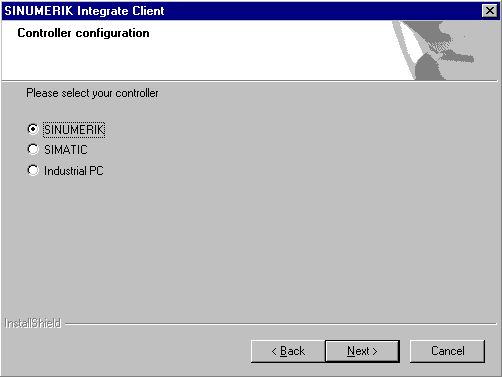
The "Controller configuration" window opens.
Select, for example, the "SINUMERIK" option button.
Click "Next >".
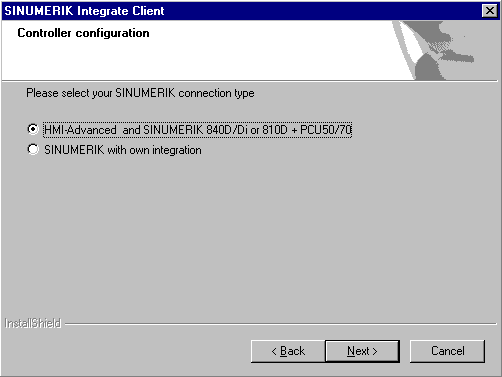
The SINUMERIK connection types are displayed in the "Controller configuration" window.
Select the option button "HMI-Advanced and SINUMERIK 840D/Di or 810D + PCU50/70".
Click "Next >".
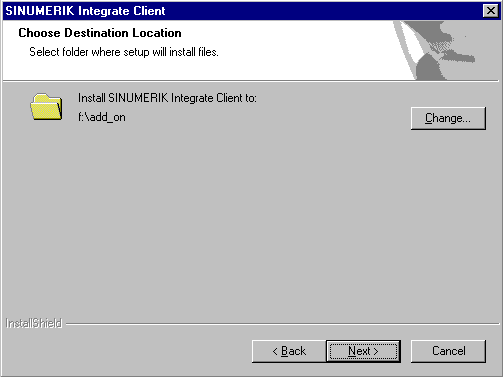
The "Choose Destination Location" window opens and the installation directory is displayed.
Click "Next >".
- OR -
Click "Change..." to change the directory.
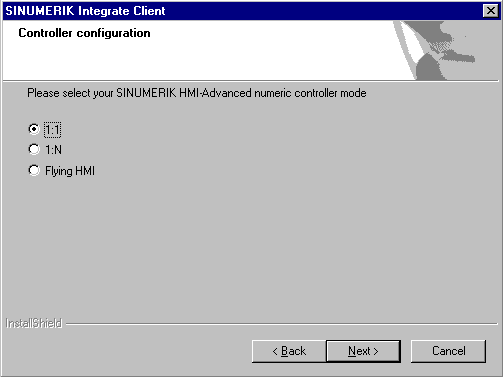
The "Controller configuration" window opens.
Select the option button for connection "1:1".
Then click "Next >".
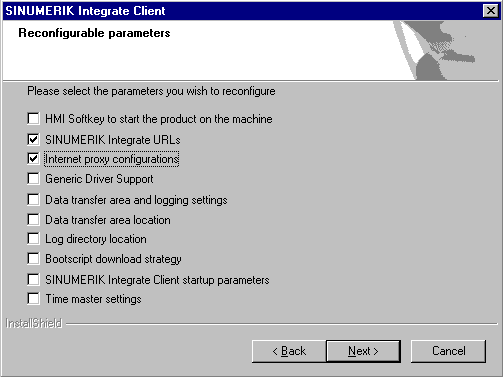
The "Reconfigurable parameters" window opens.
Select the "SINUMERIK Integrate URLs" and "Internet proxy configurations" check boxes.
Click "Next >".
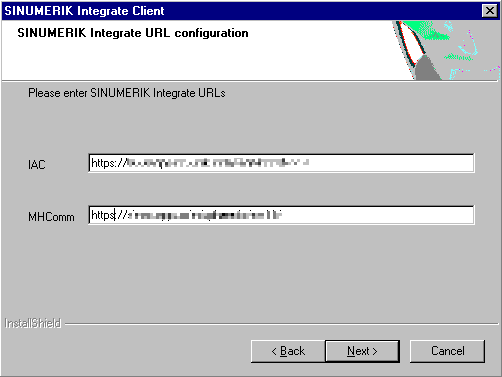
The "SINUMERIK Integrate URL configuration" window opens.
The proxy server is required to connect the control with MindSphere.
Enter the following web server URL depending on which MindSphere system you are connected with:
MindSphere V2 Livesystem:
https://sinac.apps.mindsphere.io/ws11
MindSphere V2 DEV system: https://sinumerikagentcom-dev.apps.mindsphere.io/ws11
MindSphere V3 Livesystem: https://gateway.eu1.mindsphere.io/api/agentcom-mmmops/v3/ws11
Click "Next >".
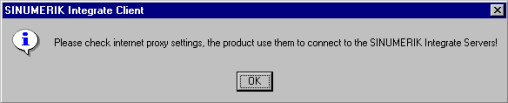
The following message is displayed.
Click "OK" to adapt the proxy server.
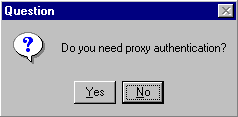
If authentication is required for the proxy, click "Yes"
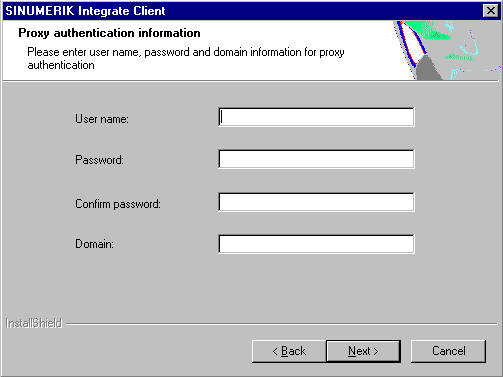
Enter the data in the input fields.
User name:
Password:
Confirm password:
Domain:
Click "Next >".
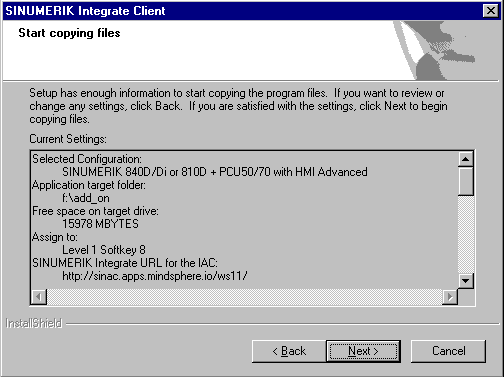
The "Start copying files" window opens and the settings made are displayed.
Click "Next >" to copy the data to the SINUMERIK control.
You are prompted to restart the system after the installation has been completed.
To do this, click "OK". |
|
| Back to top |
|
 |
asf5484
Junior

Joined: 19 Jan 2018
Posts: 4
|
| Posted: 06/12/2019 10:25 Post subject: |
|
|
[url=https://www100.zippyshare.com/v/kOwyuMgk/file.html]HMI Adv_070602.part1.rar[/url]
[url=https://www100.zippyshare.com/v/mEyIQyb9/file.html]HMI Adv_070602.part2.rar[/url]
[url=https://www100.zippyshare.com/v/W6CJukJP/file.html]HMI Adv_070602.part3.rar[/url]
[url=https://www100.zippyshare.com/v/VZj74uXA/file.html]HMI Adv_070602.part4.rar[/url]
[url=https://www100.zippyshare.com/v/AyLcsHVU/file.html]HMI Advanced 7.3 for PC PG.part1.rar[/url]
[url=https://www100.zippyshare.com/v/fdFmC3AP/file.html]HMI Advanced 7.3 for PC PG.part2.rar[/url]
[url=https://www100.zippyshare.com/v/lTvO1Px2/file.html]HMI Advanced 7.3 for PC PG.part3.rar[/url]
[url=https://www100.zippyshare.com/v/Skd898sg/file.html]HMI Advanced for PCU50_70 SW 6.4.zip[/url]
[url=https://www100.zippyshare.com/v/RS4T3qae/file.html]HMI Advanced V7.5.rar[/url]
[url=https://www100.zippyshare.com/v/KIW8YPrJ/file.html]HMI_Advanced_SW_07.06.02.02.rar[/url]
https://ulozto.net/tam/_WA0Ot6z7srto |
|
| Back to top |
|
|
|
|
You cannot post new topics in this forum
You cannot reply to topics in this forum
You cannot edit your posts in this forum
You cannot delete your posts in this forum
You cannot vote in polls in this forum
|
Powered by phpBB © 2001, 2005 phpBB Group
Fa-ti si tu propriul forum GRATUIT, pe www.myforum.ro |
 FAQ
FAQ Search
 Memberlist
 Usergroups
 Register
 Profile
 Log in to check your private messages
 Log in


