 |
plc.myforum.ro
PLCs users www.plc.myforum.ro!
|
| View previous topic :: View next topic |
| Author |
Message |
grig100
Member 3


Joined: 01 Jan 2015
Posts: 752
|
 Posted: 02/05/2017 18:45 Post subject: SIMOCODE ES V14 SP1 (TIA Portal) Posted: 02/05/2017 18:45 Post subject: SIMOCODE ES V14 SP1 (TIA Portal) |
 |
|
SIMOCODE ES V14 SP1 (TIA Portal)
https://support.industry.siemens.com/cs/document/109745869/simocode-es-v14-sp1
The central software package for the configuration, commissioning, operation, and diagnosis of SIMOCODE pro
Operating system
| Code: | Windows 7 64 Bit Professional/Ultimate/Enterprise
(Service Pack 1)
Windows 8.1 64 Bit Professional/Enterprise
Windows 10 64 Bit Pro/Enterprise
Windows Server 2008 R2 StdE (full installation, Service Pack 1)
Windows Server 2012 R2 StdE (full installation)
Windows Server 2016 |
https://support.industry.siemens.com/cs/attachments/109745869/ReadmeSCenUS.pdf
https://support.industry.siemens.com/cs/attachments/109745869/SIRIUS_SIMOCODE_ES_V14_SP1.exe |
|
| Back to top |
|
 |
grig100
Member 3
Joined: 01 Jan 2015
Posts: 752
|
| Posted: 26/09/2018 16:01 Post subject: routing function with SIMOCODE ES (TIA Portal) |
|
|
Requirements for using the routing function with SIMOCODE ES (TIA Portal)
https://support.industry.siemens.com/cs/document/109738745/
What are the requirements for using the routing function with SIMOCODE ES (TIA Portal)?
With the help of the routing function of SIMOCODE ES Premium, it is possible configure and commission SIMOCODE pro devices that are connected to SIMATIC S7 via PROFIBUS DP or PROFINET, and to do so across different network configurations from a central engineering station with SIMOCODE ES Premium.
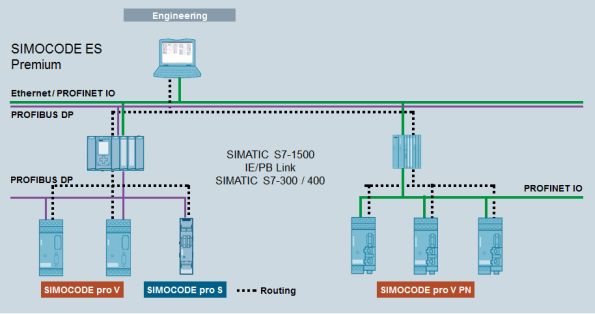
Connection of the engineering station
The engineering station with SIMOCODE ES De lux must be connected to a SIMATIC S7 module that supports "routing". Furthermore, all SIMATIC S7 modules involved in routing must also support "routing".
SIMOCODE pro C/S/V to PROFIBUS DP
For access to SIMOCODE pro devices with PROFIBUS DP connection via routing, the devices must be connected to one of the following SIMATIC S7 modules that support "data record routing" (date record gateway). This module must also be the DP master for SIMOCODE pro.
You can find a list of the SIMATIC modules that support data record routing at
https://support.industry.siemens.com/cs/document/7000978/what-is-the-difference-between-normal-routing-and-data-record-routing
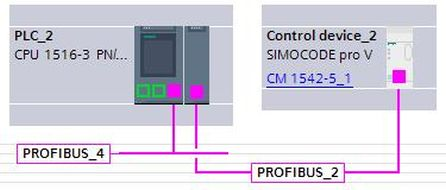
The PROFIBUS module CM 1542-5 for S7-1500 also supports this function.
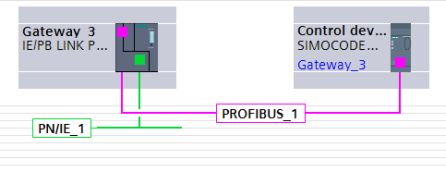
Configurations with the IE/PB Link 6GK1 411-5AB10 are supported from V3.0 onwards.
SIMOCODE pro V PN to PROFINET
For access to SIMOCODE pro devices with PROFINET connection via routing, the devices must be connected to SIMATIC S7 modules that support "routing". This module must also be the IO controller for SIMOCODE pro.
Exception: Routing function for SIMOCODE pro V PN devices connected to a S7-300-CP as IO controller is not supported.
Requirement for using the SIMOCODE ES routing function
SIMOCODE ES Premium V14 SP1 Update 3 or higher STEP7 V14 or higher
The device configuration must be compiled and loaded on the SIMATIC S7 module PC with Ethernet interface / CP for PROFIBUS
Procedure
In the TIA Portal project navigation, select the SIMOCODE pro device to which an online connection is to be established.
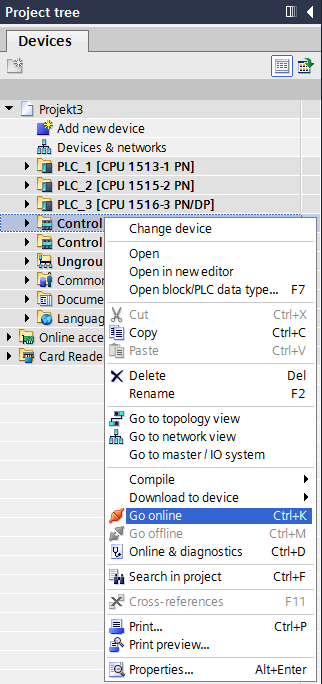
1. Select the PG/PC interface type
Select the PG/PC interface type via which the engineering station is connected, e.g. PROFIBUS / PROFINET.
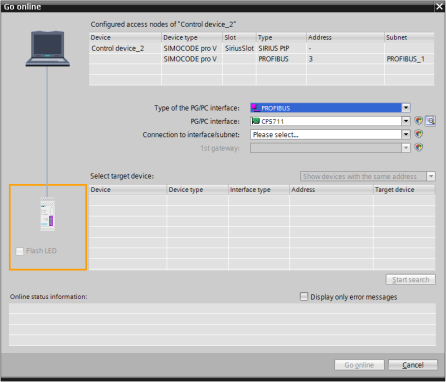
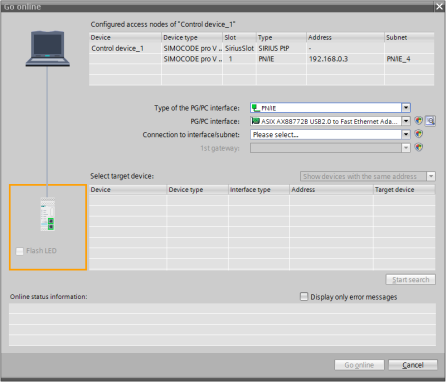
2. Select the PG/PC interface
Select the PG/PC interface via which the engineering station is connected, e.g. CP5711 or Ethernet interface
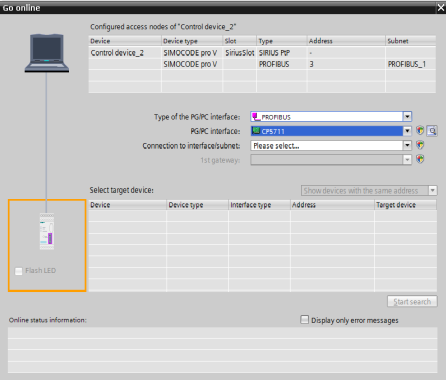
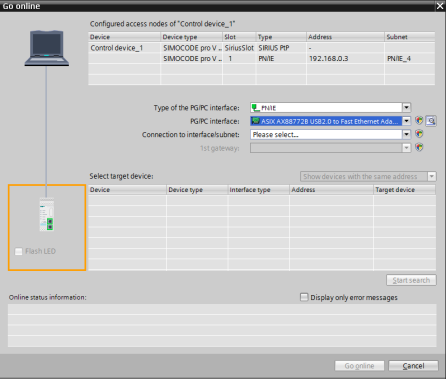
3. Select connection with interface/subnet
Select the interface or subnet to which the online function is to be established.
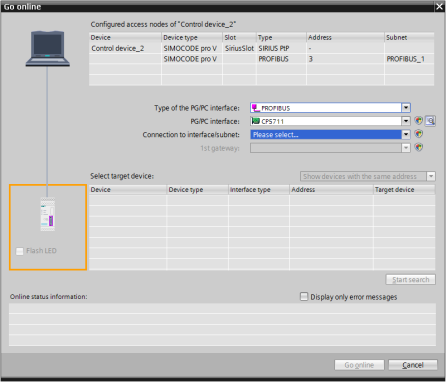
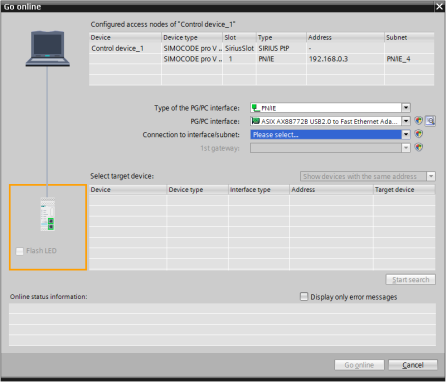
4. "Start search" and select device
Start the search for accessible SIMOCODE pro devices with "Start search", and then select the device.
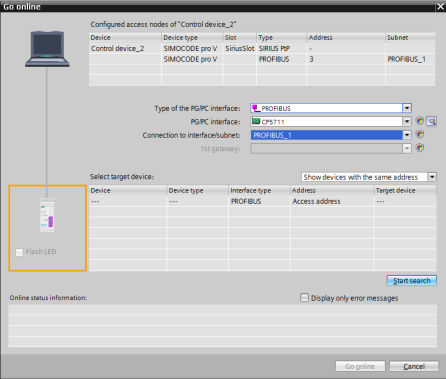
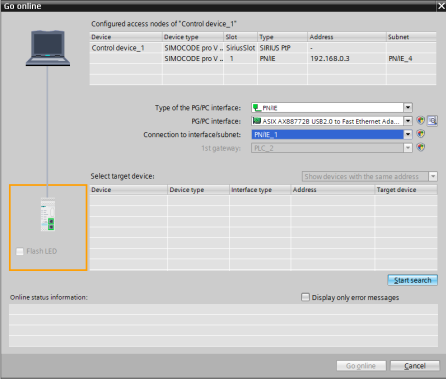
Examples of routing with SIMOCODE ES Premium
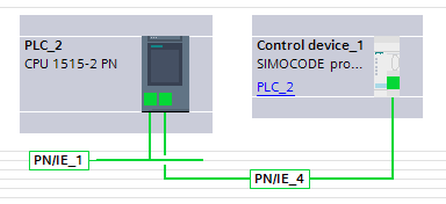
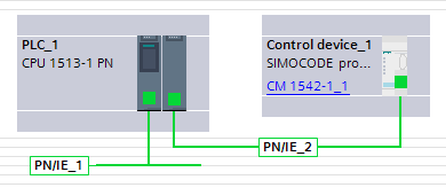
The figures below show examples of the routing functions with SIMOCODE ES with one gateway, and they also apply analogously for configurations with several gateways.
Ethernet – PROFINET IO: SIMOCODE pro V PN to CPU 1512-2 PN
Ethernet – PROFINET IO: SIMOCODE pro V PN to CM1542-1
Ethernet – PROFIBUS DP: SIMOCODE pro C/S/V to CPU 300
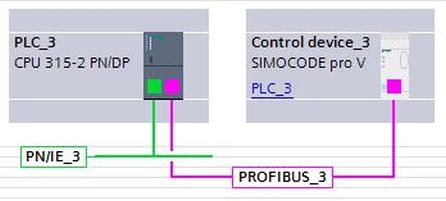
Ethernet – PROFIBUS DP: SIMOCODE pro C/S/V to CPU 400
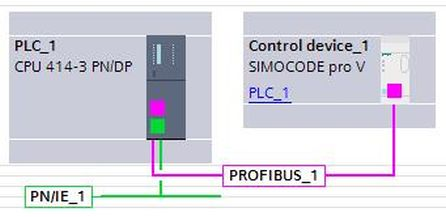
PROFIBUS – PROFIBUS DP: SIMOCODE pro C/S/V to CP 400
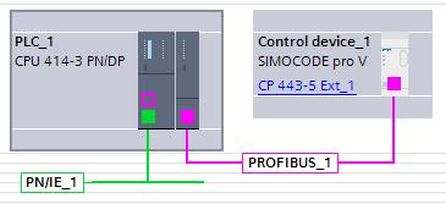
Ethernet – PROFIBUS DP: SIMOCODE pro C/S/V to CPU 1500
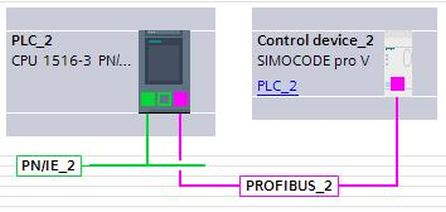
Ethernet – PROFIBUS DP: SIMOCODE pro C/S/V to CM 1542-5
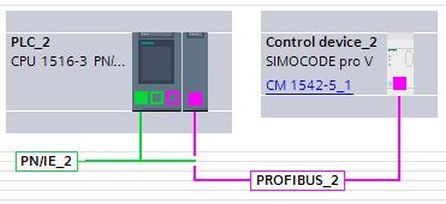
Ethernet – PROFIBUS DP: SIMOCODE pro C/S/V to IE/PB Link 6GK1 411-5AB10
PROFIBUS – PROFIBUS DP: SIMOCODE pro C/S/V to CM 1542-5
 |
|
| Back to top |
|
|
|
|
You cannot post new topics in this forum
You cannot reply to topics in this forum
You cannot edit your posts in this forum
You cannot delete your posts in this forum
You cannot vote in polls in this forum
|
Powered by phpBB © 2001, 2005 phpBB Group
Fa-ti si tu propriul forum GRATUIT, pe www.myforum.ro |
 FAQ
FAQ Search
 Memberlist
 Usergroups
 Register
 Profile
 Log in to check your private messages
 Log in


