 |
plc.myforum.ro
PLCs users www.plc.myforum.ro!
|
| View previous topic :: View next topic |
| Author |
Message |
mamiko
Member 2


Joined: 25 Dec 2017
Posts: 420
|
 Posted: 07/03/2024 21:52 Post subject: SIMATIC WinCC Unified Station Configurator V19 Posted: 07/03/2024 21:52 Post subject: SIMATIC WinCC Unified Station Configurator V19 |
 |
|
SIMATIC WinCC Unified Station Configurator V19
https://support.industry.siemens.com/cs/document/109827849/
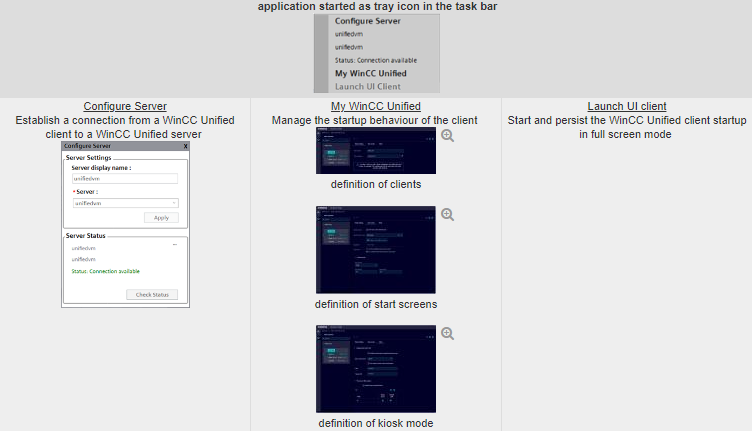
Use WinCC Unified Station Configurator to enable a kiosk mode environment for WinCC Unified PC Runtime
Install the WinCC Unified Station Configurator on a Windows-based Unified workstation
By installing the application, a Windows-based WinCC Unified server or WinCC client with a single monitor is enabled to work in a full screen mode
Start WinCC Unified as a full screen application at PC startup
At system start WinCC Unified PC RT starts in the full screen mode.
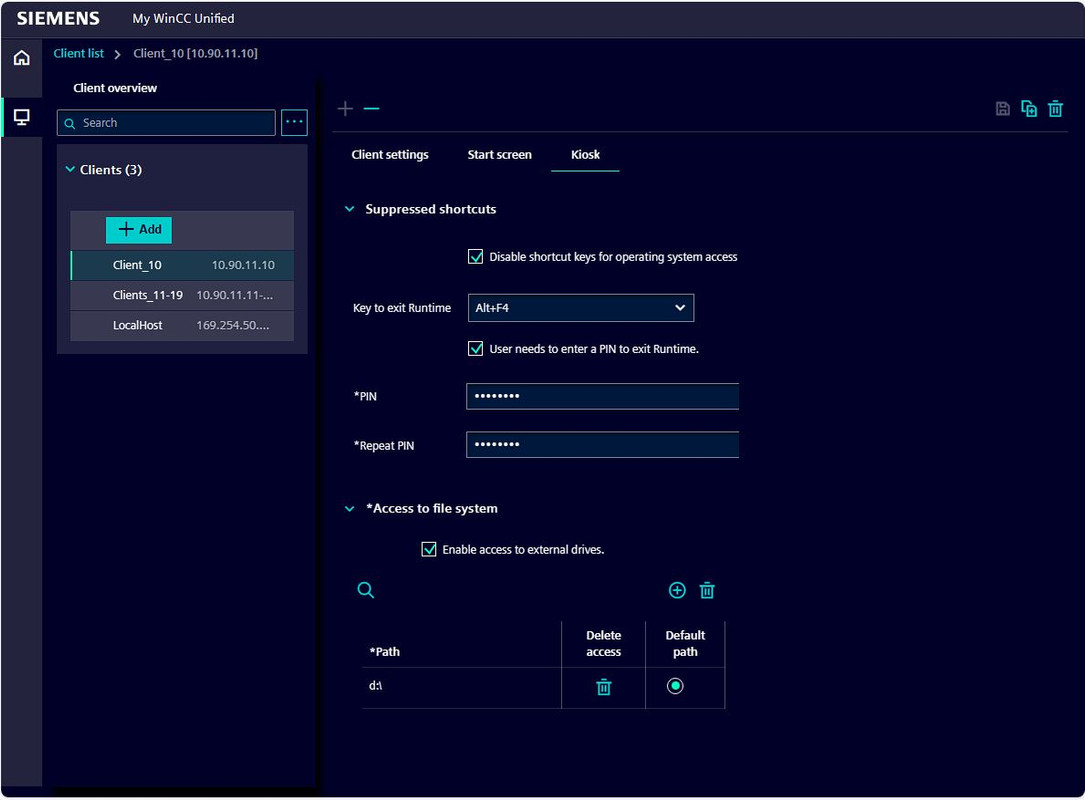
Windows shortcuts are intercepted during input. Exiting this mode is only possible by a preconfigured key combination.
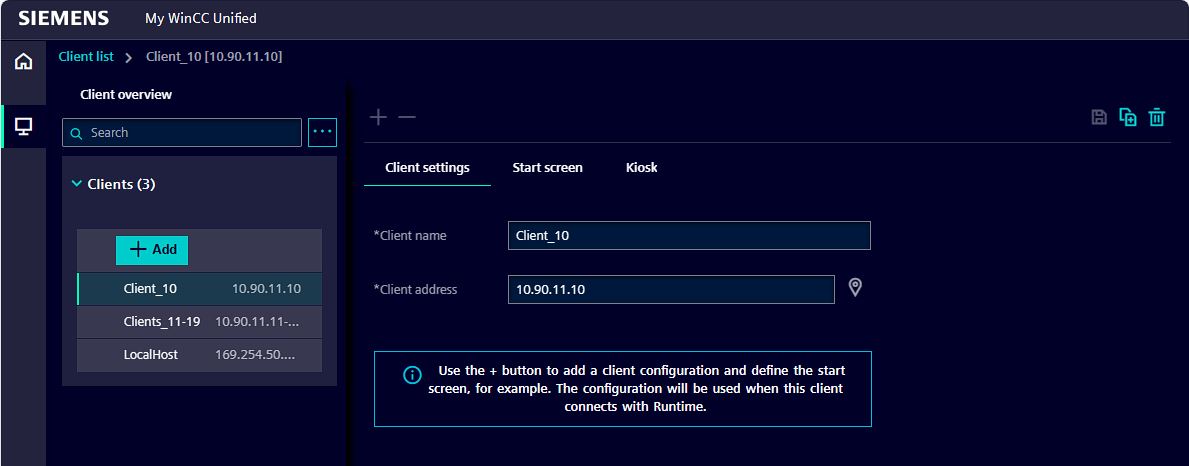
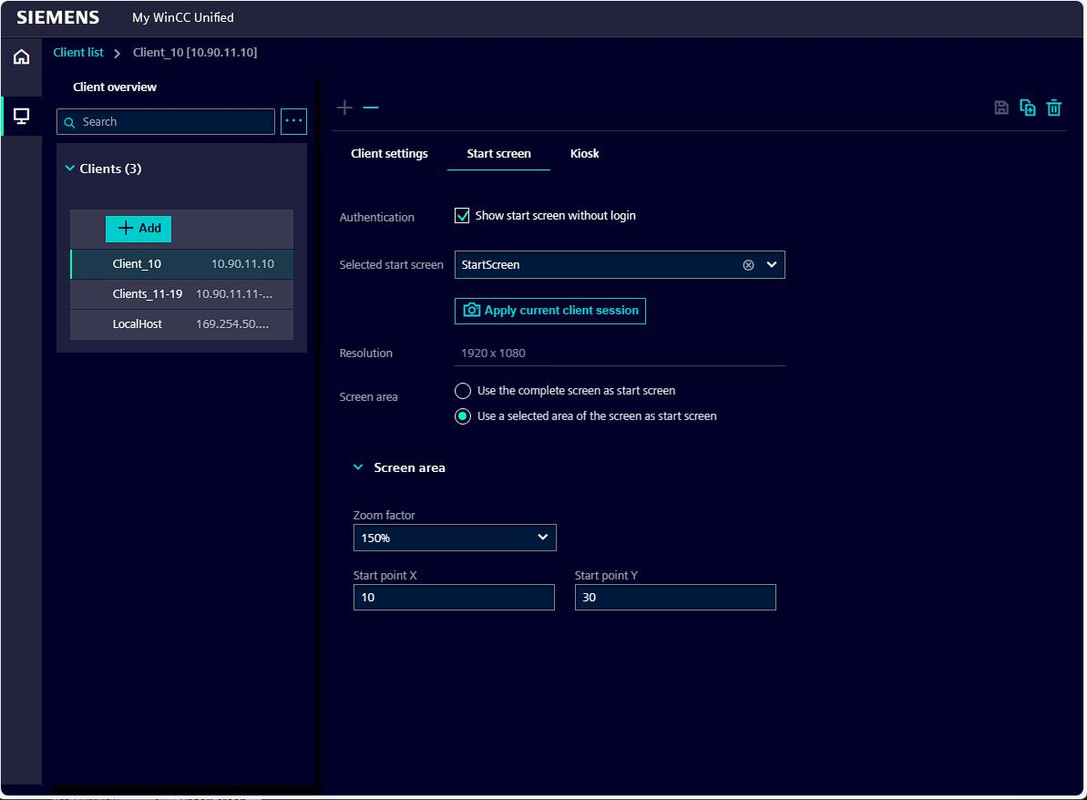
In combination with “My WinCC Unified” a dedicated screen can be configured to have a device specific start screen.
Prevent the operator to access the operating system
The user is not able to access to other applications or to access to not enabled file directories on the Windows PC.
Download (full setup, V19.00.00.01)
https://support.industry.siemens.com/cs/attachments/109827849/SIMATIC_WinCC_Unified_Station_Configurator_V19_Upd1.exe
https://support.industry.siemens.com/cs/attachments/109826707/UnifiedRT_enUS_en-US.pdf
[URL=https://www.file-upload.net/download-15279885/SIMATIC_WinCC_Unified_Station_Configurator_V19_Upd1.exe.html]SIMATIC_WinCC_Unified_Station_Configurator_V19_Upd1.exe[/URL] |
|
| Back to top |
|
 |
|
|
You cannot post new topics in this forum
You cannot reply to topics in this forum
You cannot edit your posts in this forum
You cannot delete your posts in this forum
You cannot vote in polls in this forum
|
Powered by phpBB © 2001, 2005 phpBB Group
Fa-ti si tu propriul forum GRATUIT, pe www.myforum.ro |
 FAQ
FAQ Search
 Memberlist
 Usergroups
 Register
 Profile
 Log in to check your private messages
 Log in


