mamiko
Member 2


Joined: 25 Dec 2017
Posts: 420
|
 Posted: 12/11/2024 20:12 Post subject: SIMATIC S7-1500T Flying Saw - "FlyingSawBasic" Posted: 12/11/2024 20:12 Post subject: SIMATIC S7-1500T Flying Saw - "FlyingSawBasic" |
 |
|
SIMATIC S7-1500T Flying Saw - "FlyingSawBasic"
https://support.industry.siemens.com/cs/document/109962920/
The application example provides a flying saw or flying punch on the controller platform SIMATIC S7-1500T. A continuous moving material (e.g. foil, metal, paper, corrugated, steel profiles, etc.) can be cut or punched on the fly. Functions: Automatic mode, immediate cut, cut to length or cutting mark, virtual or real master.
Material processing on the fly is necessary, if the process itself requires a certain time. Since the material movement shall not influence the material processing, the processing device need to move synchronous to the web.
Therefore the saw axis (following axis) synchronizes position based to the material (leading value). Once moving synchronous, the material processing is started (e.g. sawing, cutting, embossing, punching).
After the material processing step has been terminated, the processing device stops and usually returns to the start position.
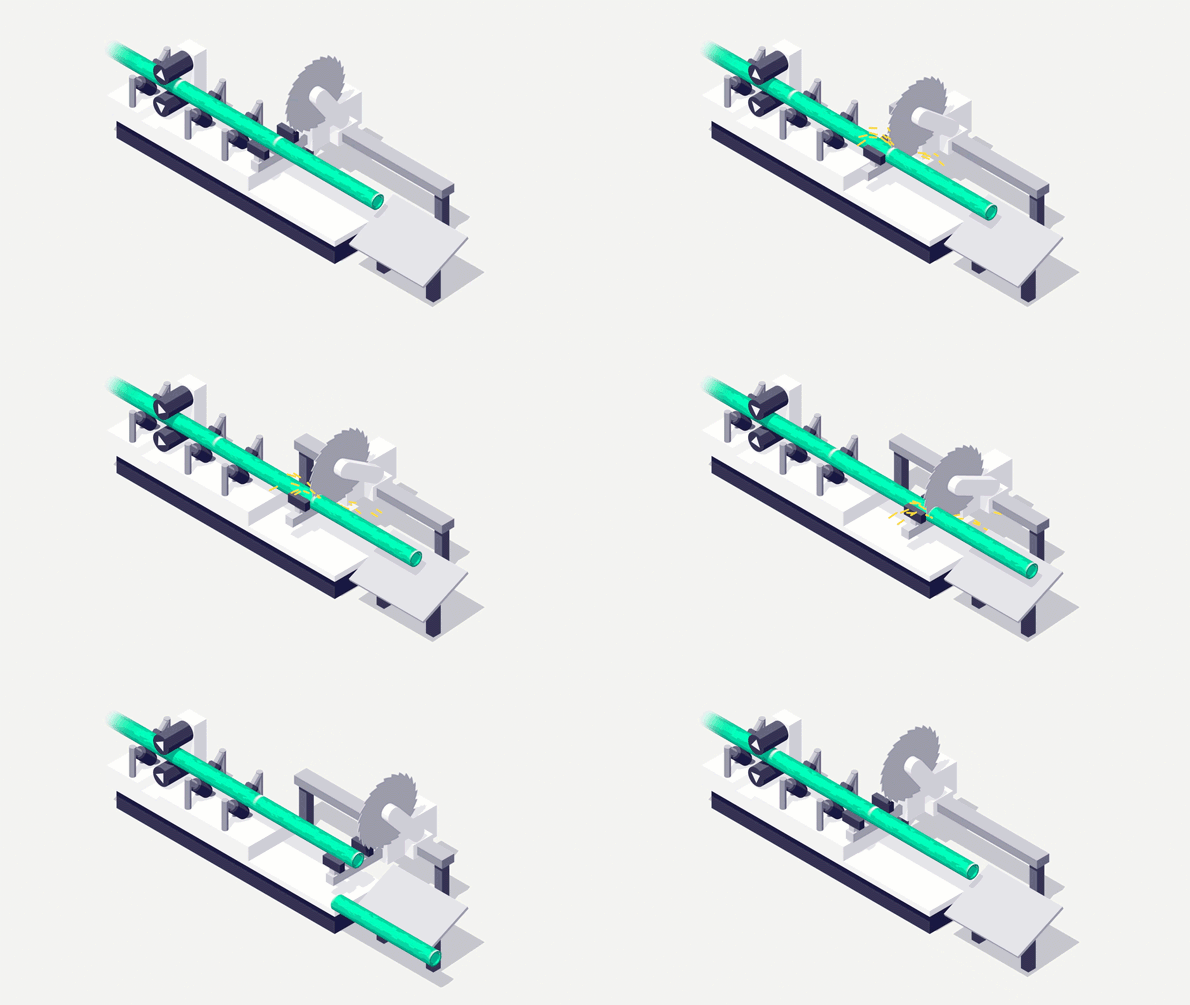
Fig. 01 - Sawing
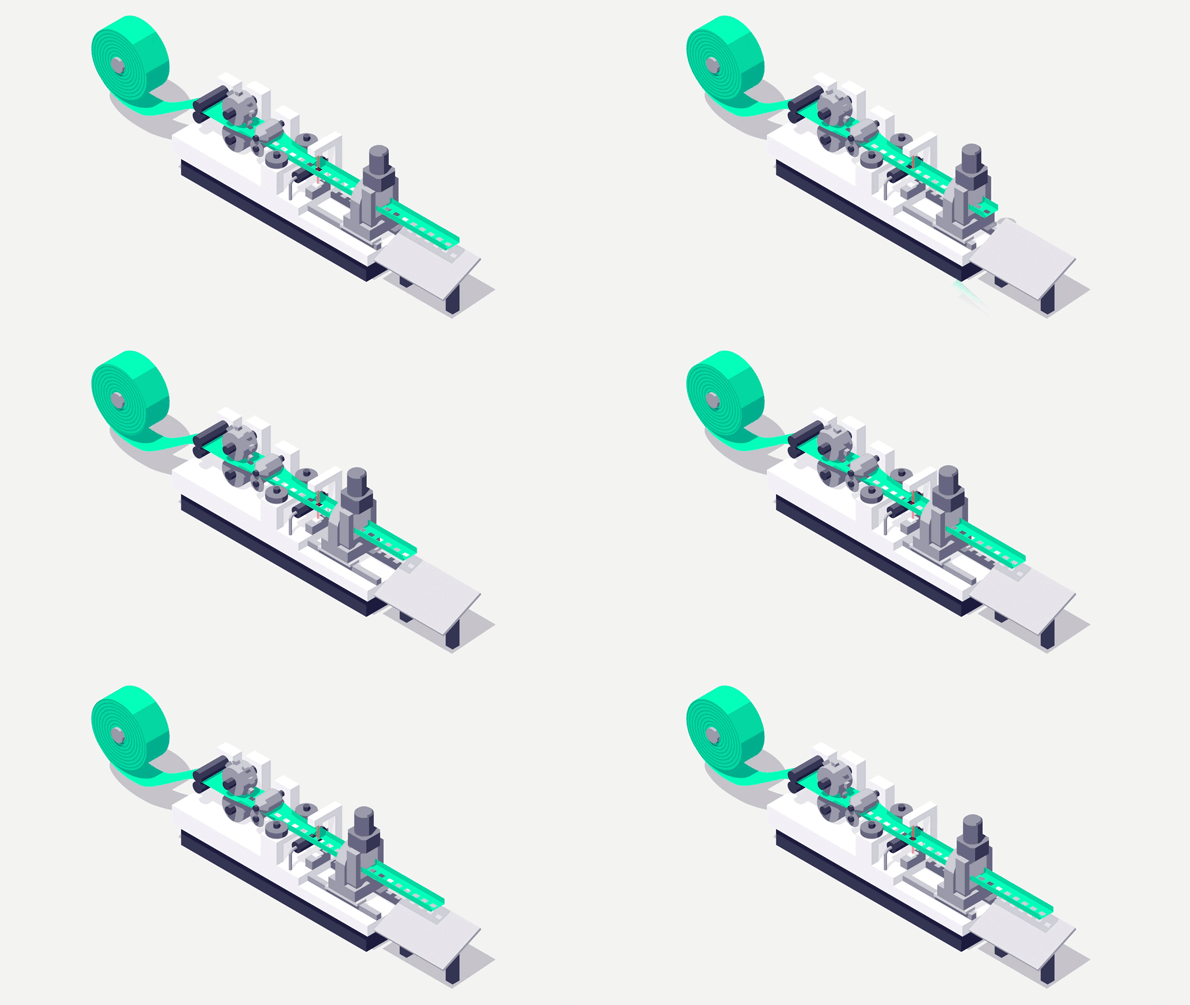
Fig. 02 - Punching
The application example "FlyingSawBasic" provides a clear structured and ready-to-apply solution to realize a flying saw with SIMATIC S7-1500T.
The appropriate example project "FlyingSawBasic" covers different areas of use. The programs can be used directly or adapted to own needs. The included HMI project can be used directly for test and simulation purposes or can be adapted to the user specific case of application.
The following functions are included
Cut to length
Cut to measuring input signal (cutting mark on the material). Any distance to measuring input, but signals are not buffered.
Flying change of leading value real axis and external encoder
Immediate cut
Symetric synchronizing
Dynamics for return movement are parameterizable or automatically calculated
Cut and cut lenth counter
Statistics of cut length measurement
Automatic cutting mark search with automatic setting of active range
Pull gap
Dynamic shift of start position by user application
HMI (commissioning/test interface)
SIMIT Simulation / 3D Model
Available HMI Screens
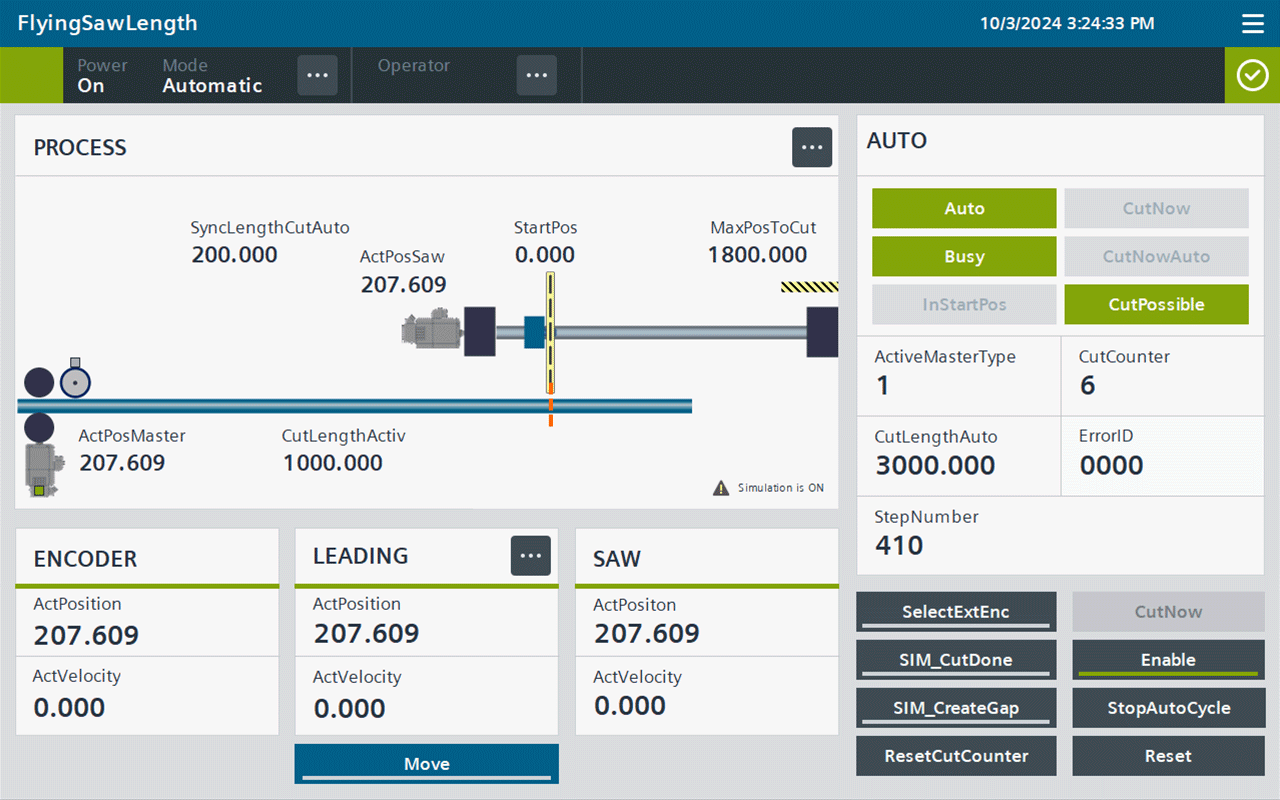
Fig. 03 - SIMATIC WinCC Comfort Advance
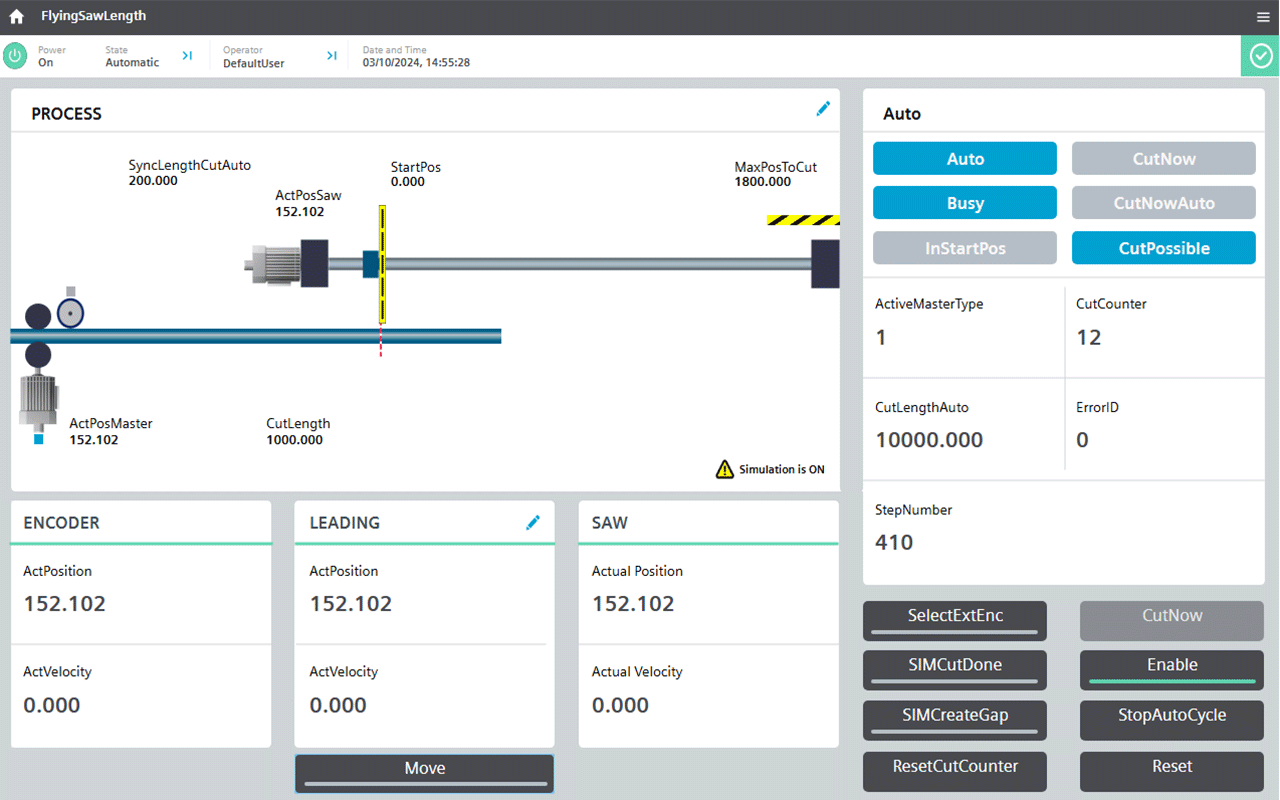
Fig. 04 - SIMATIC WinCC Unified
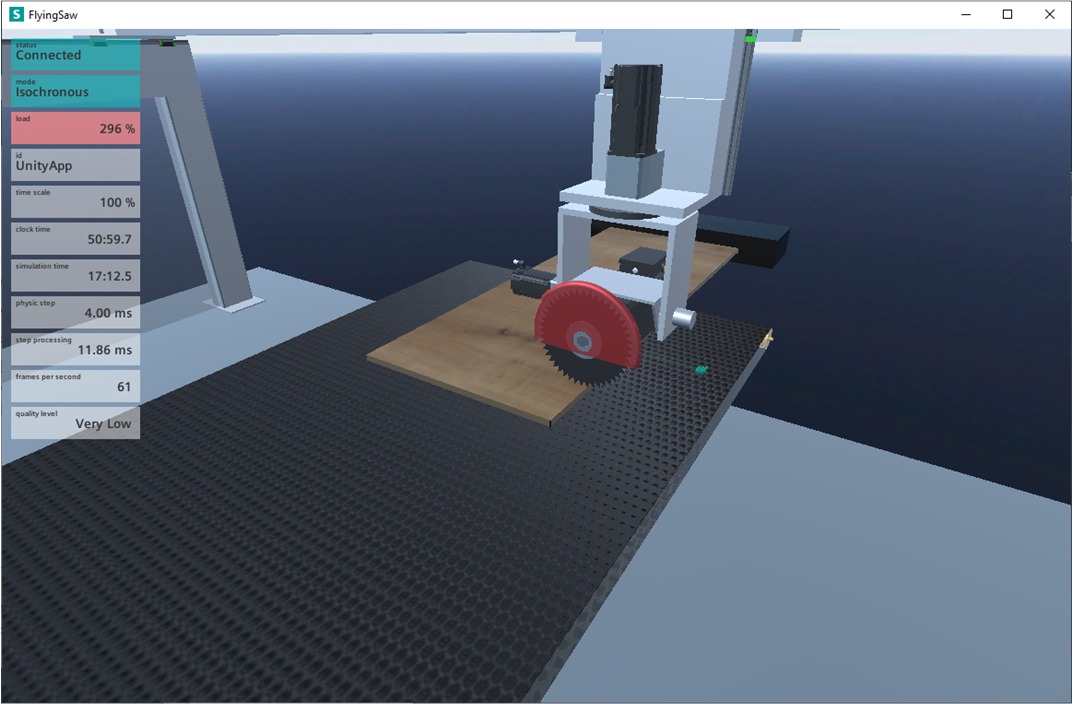
Fig. 05 - SIMIT Executable 3D Model
Download
Download Url File name
https://dfiles.com/files/v60stujd1 SIMIT_And_3D-Simulation_FlyingSaw_Basic_V1_0.zip
https://dfiles.com/files/yo7tisw30 109962920_FlyingSawBasic_PROJ_v30_fromFW30.zip
https://dfiles.com/files/ql29vpbj8 Manual_SIMIT_Executable_3D_Model_FlyingSaw_Basic_V1_0_en.pdf
https://dfiles.com/files/aqn1kuevz FlyingSawBasicV2_Step7V16_proj_lib.zip
https://dfiles.com/files/qk1o8awe0 FlyingSawBasic_V20_en.pdf
https://dfiles.com/files/pnjpfggpa ISO_Convert.zip
https://dfiles.com/files/nyx3zv3ve 109962920_FlyingSawBasic_LIB_v30_uptoFW29.zip
https://dfiles.com/files/6qrnjt5o2 109962920_FlyingSawBasic_DOC_v30_en.pdf
https://dfiles.com/files/x4615533l 109962920_FlyingSawBasic_LIB_v30_fromFW30.zip
https://dfiles.com/files/3dp6q8c8z 109962920_FlyingSawBasic_PROJ_v30_uptoFW29.zip |
|

 FAQ
FAQ Search
 Memberlist
 Usergroups
 Register
 Profile
 Log in to check your private messages
 Log in


