 |
plc.myforum.ro
PLCs users www.plc.myforum.ro!
|
| View previous topic :: View next topic |
| Author |
Message |
messer
Senior

Joined: 08 Mar 2012
Posts: 2059
Location: Europe
|
 Posted: 19/03/2013 22:28 Post subject: pvbrowser 4.7.2 Posted: 19/03/2013 22:28 Post subject: pvbrowser 4.7.2 |
 |
|
pvbrowser 4.7.2
Page:
http://pvbrowser.de/pvbrowser/index.php?lang=en&menu=1&more=1
Process Visualization is often done with commercial software under Windows.
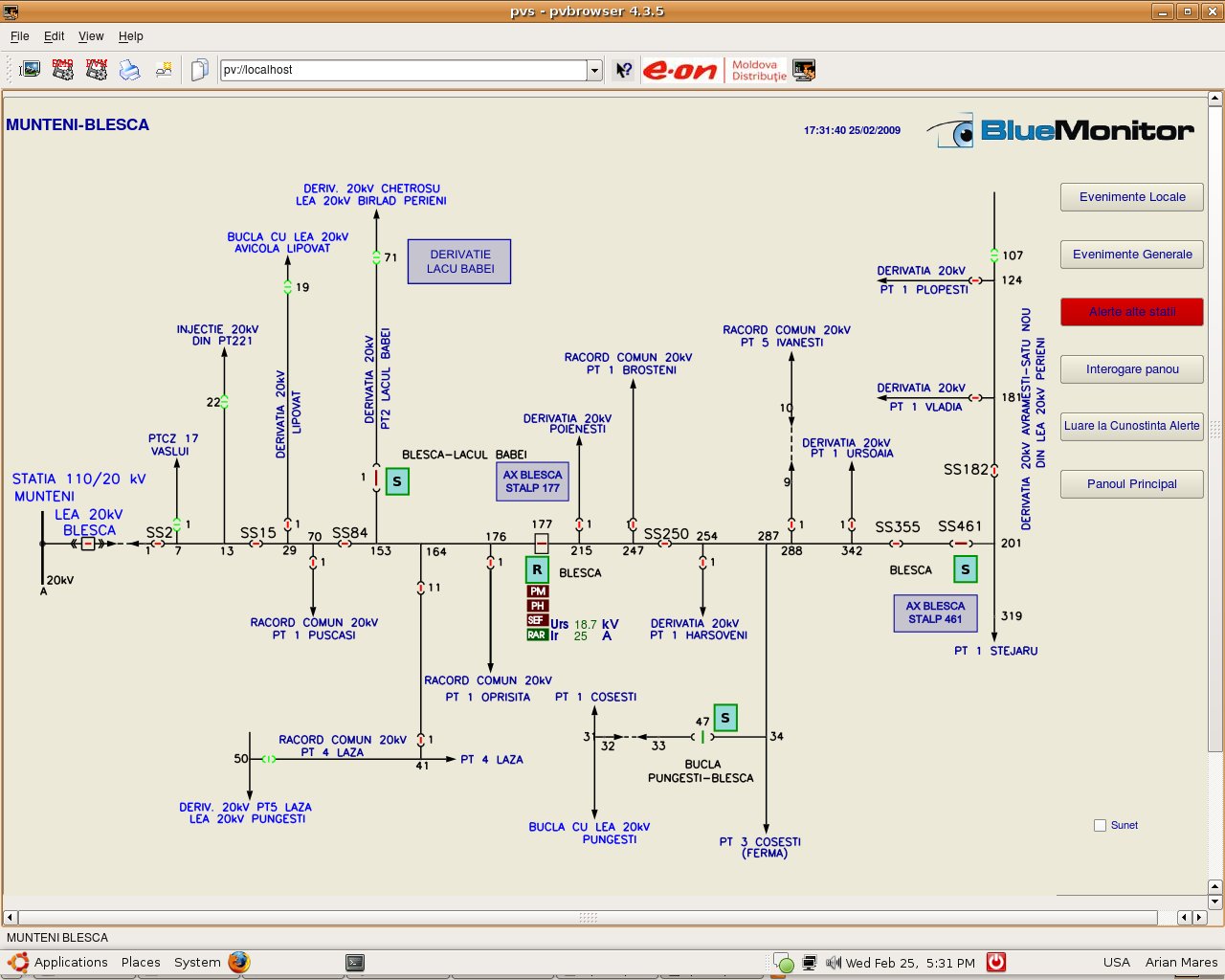
In contrast pvbrowser® is open source software that runs on Linux/Unix/Windows/OS-X. pvbrowser clients are also available for Maemo/MeeGo/Android. additionally pvbrowser servers can run on OpenVMS.
Download the whole pvbrowser® development package
http://pvbrowser.org/pvbrowser/download.php?file=install-pvbrowser.exe
For compiling and linking your pvserver(s) first download and install the Qt libraries for Windows and the MinGW C++ compiler.
If you want to develop your own servers please install the complete pvbrowser from install-pvbrowser.exe. Then you must install the Qt libraries 4.x.y for Windows and minGW 4.4. Before you run the installer of Qt libraries download and unzip the MinGW package which you will also find when installing the Qt libraries package.
You will have to define the environment variables %QTDIR% and %MINGWDIR% to point to the installation directories where the executables from Qt and MinGW can be found (qmake.exe, mingw32-make.exe and the C++ compiler).
The qmake tool from Qt will be used to lucrate a Makefile for your projects. The installation procedure of pvbrowser defines the environment variable %PVBDIR% and adds %PVBDIR%\win-mingw\bin to your %PATH% environment variable.
Since it does not know where the Qt SDK is located this must be defined manually either in "start_pvdevelop.bat" or within your system control center.
Example setting for recent "Qt libraries 4.x.y for Windows and minGW 4.4"
| Code: | set QTDIR=c:\qt\4.7.4
set MINGWDIR=c:\mingw
set PATH=%PVBDIR%\win-mingw\bin;%QTDIR%\bin;%MINGWDIR%\bin;c:\windows; |
If you want to start pvserver as service in the background, use xyntservice .
Qt cross-platform application framework download:
http://qt-project.org/downloads
If you only want to develop in Lua you do not need the Qt SDK and MinGW. |
|
| Back to top |
|
 |
|
|
You cannot post new topics in this forum
You cannot reply to topics in this forum
You cannot edit your posts in this forum
You cannot delete your posts in this forum
You cannot vote in polls in this forum
|
Powered by phpBB © 2001, 2005 phpBB Group
Fa-ti si tu propriul forum GRATUIT, pe www.myforum.ro |
 FAQ
FAQ Search
 Memberlist
 Usergroups
 Register
 Profile
 Log in to check your private messages
 Log in


