| View previous topic :: View next topic |
| Author |
Message |
adventuref
Junior 2


Joined: 05 Feb 2016
Posts: 22
|
 Posted: 28/02/2016 15:04 Post subject: Problem with RSlogix 5000 Emulator Posted: 28/02/2016 15:04 Post subject: Problem with RSlogix 5000 Emulator |
 |
|
Hi Guys
I want to emulate my PLC program.
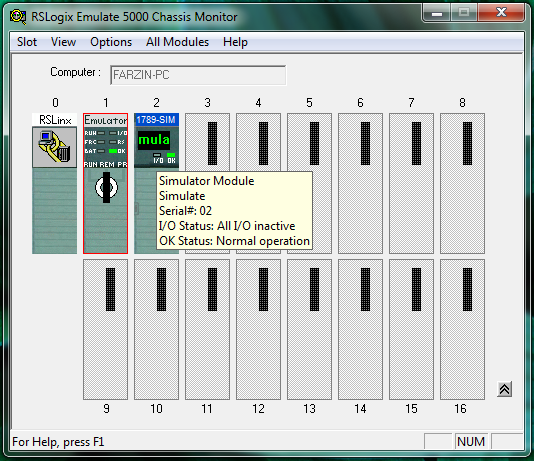
I try to confecționate Module in RSLogix Emulate 5000 Chassis Monitor Follow
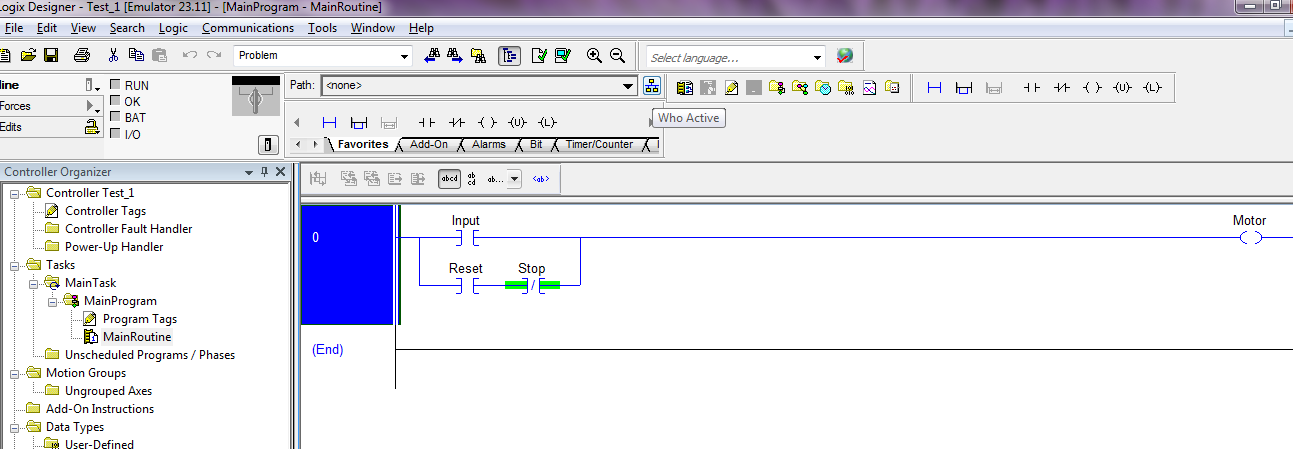
In RSlogix V23, I changed Controller to Emulator RSlogix Emulate 5000 Controller.
Next, I add Generic Module.
I write sample logic, then I choose WhoActive
and ....Choose appropriate Path
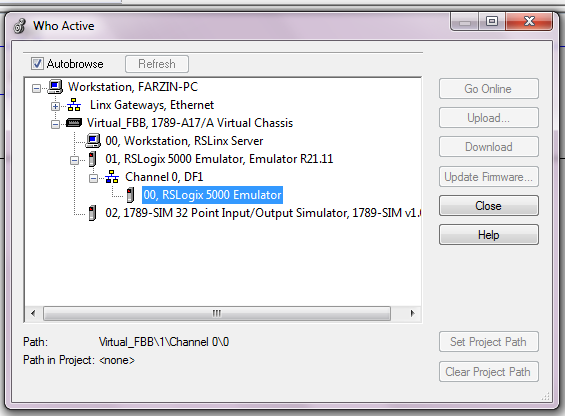
But,Download and Go online Buttons are disable.
Please Help me, How to fix problem.
Thanks in Advanced |
|
| Back to top |
|
 |
cuongvcs
Member 2

Joined: 09 Dec 2011
Posts: 263
Location: DaNang, Viet Nam
|
| Posted: 01/03/2016 06:35 Post subject: |
|
|
HI you.
On Who active select Virtual FBB then chose 01( RSLogix5000 emulator,Emulator R21.11 then click download.
BR |
|
| Back to top |
|
|
adventuref
Junior 2
Joined: 05 Feb 2016
Posts: 22
|
| Posted: 01/03/2016 18:54 Post subject: |
|
|
Hi cuongvcs
Follow your recommend...
I Choose 01...when I select, I see below one
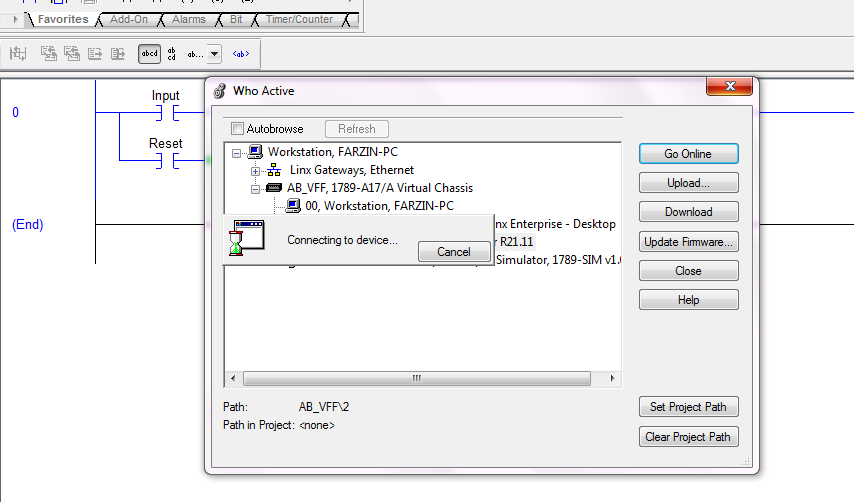
After some seconds..this error appear
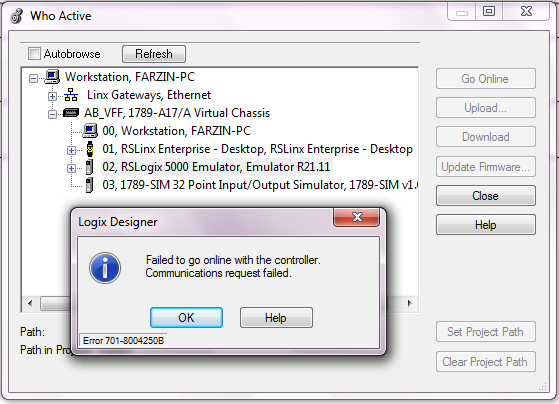
Therefore, All item are still disable

What can I do? |
|
| Back to top |
|
|
carloscesaramjr
Member


Joined: 31 Mar 2015
Posts: 114
Location: Brazil
|
| Posted: 01/03/2016 22:58 Post subject: |
|
|
| adventuref wrote: | Hi cuongvcs
Follow your recommend...
I Choose 01...when I select, I see below one
After some seconds..this error appear
Therefore, All item are still disable
What can I do? |
Hello Friend
You are using Studio 5000 V21.03.00?
The CPU slot is current with the set in logixdesign?
Try using SoftLogix V21.00, this works perfectly. |
|
| Back to top |
|
|
adventuref
Junior 2
Joined: 05 Feb 2016
Posts: 22
|
| Posted: 03/03/2016 17:04 Post subject: |
|
|
Hi Carlos
I use Studio 5000, V23
and RSlogix 5000 Emulator.
Follow the User Manual recommends, I should choose Emulator RSlogix Emulate 5000 Controller. as controller for simulating purpose??
and Select Virtual Back-plane in RSlinx (Communication configure)?? |
|
| Back to top |
|
|
adventuref
Junior 2
Joined: 05 Feb 2016
Posts: 22
|
| Posted: 11/03/2016 12:28 Post subject: |
|
|
All problem is just that there is inconsistency between "Controller Type:=Emulator R21.11" and offline project/Controller type "Emulator Rslogix Emulate 5000 Controller" , as below figure
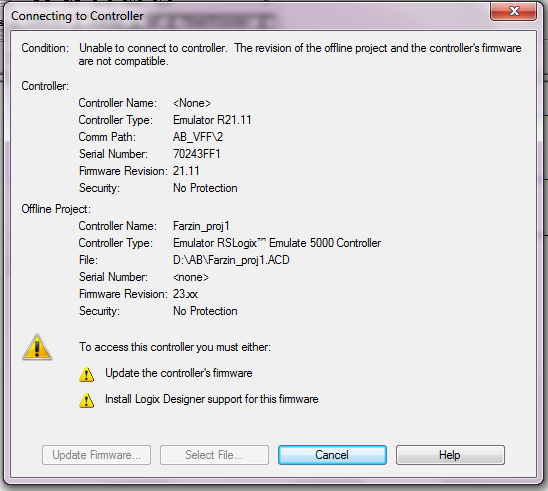
Big problem is that, update firmware button is disabled.
How can i fix problem???
Also, I cannot save as my project or controllers with down version such as 21...
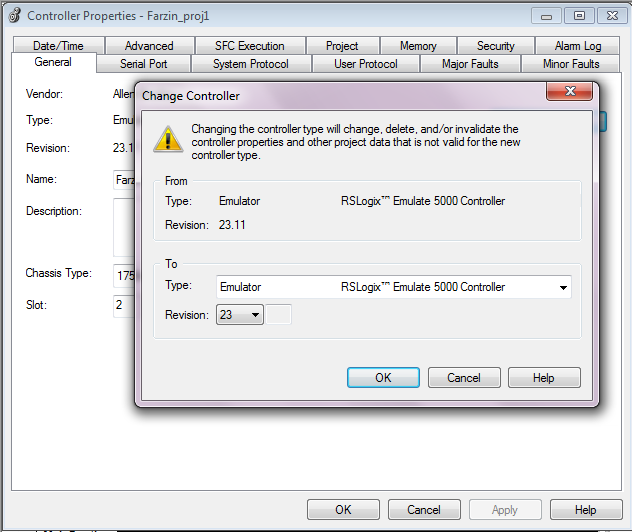 |
|
| Back to top |
|
|
|

 FAQ
FAQ Search
 Memberlist
 Usergroups
 Register
 Profile
 Log in to check your private messages
 Log in


