 |
plc.myforum.ro
PLCs users www.plc.myforum.ro!
|
| View previous topic :: View next topic |
| Author |
Message |
ykr1989
Junior 2

Joined: 18 May 2016
Posts: 25
|
 Posted: 13/07/2016 11:16 Post subject: open the proface GC4401 projet. Posted: 13/07/2016 11:16 Post subject: open the proface GC4401 projet. |
 |
|
Hello,please how i can open the proface GC4401 projet.
i have already installed the GP PRO ex4.0,but when i try to open my projet error appears
(unable to load projet as it configured with a display unit that is not supporting by the editor please define a different file.)
Also i don't see GC4401 in the hardware catalog of the GP PRO ex,how to add it?
please help me. |
|
| Back to top |
|
 |
skirmish
Junior 2
Joined: 05 Aug 2015
Posts: 27
Location: Gottingen
|
| Posted: 13/07/2016 20:49 Post subject: Re: open the proface GC4401 projet. |
|
|
| ykr1989 wrote: | Hello,please how i can open the proface GC4401 projet.
i have already installed the GP PRO ex4.0,but when i try to open my projet error appears
(unable to load projet as it configured with a display unit that is not supporting by the editor please define a different file.)
Also i don't see GC4401 in the hardware catalog of the GP PRO ex,how to add it?
please help me. |
To realizate screen data for GC4000 Series, installing the add-on software is required.
The add-on software is included in GP-Pro EX Installer Disk2.
> Click here to download the GP-Pro EX Installer Disk2 program.
http://download.pro-face.com/download//otasuke/files/trial/gpproex/GPPROEX405100D2.exe
*Note:
Install this add-on software after you complete installation of GP-Pro EX Installer Disk1.
http://download.pro-face.com/download//otasuke/files/trial/gpproex/GPPROEX405100D1.exe
However this is available from V3.0.1 upward. need license.
Installation of Pro-face Converter]
| Code: |
To install Pro-face Converter, please follow the procedure below.
Failure to follow the procedure will lead to an installation failure and display the message, "Please insert CD of GP-Pro EX Editor in the CD drive."
Double-click the GPPROEX405100D1.exe file.
Open the GPPROEX405100D1.exe folder that is created in the same location as the EXE file.
Copy the file, ABS.sys, from the folder to the root folder (C:\).
Double-click ProEX_Setup.exe to start the installer, and select Pro-face Converter.
After installation, delete the ABS.sys file. |
To upgrade the GP-Pro EX Limited Edition to a fully functional version, the purchase of a GP-Pro EX license (Model No.: PFXEXEDLS**) is required to register a serial number and key code for use of the software.
Difference between the Limited Edition and the fully functional version
The Limited Edition allows you to transfer screen data ONLY to the GP4100 Series monochrome model. Besides, the fully functional version allows you to transfer the data to all Pro-face products.
how to
1. Download GP-Pro EX Installer Disk2 program file onto a PC and decompress it.
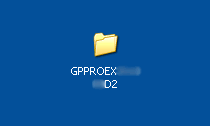
2. After dicompression, a folder is created in the same directory where the Disk2 file is saved.
Click the folder to open it.
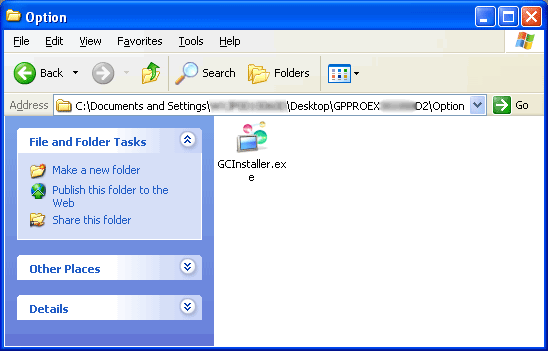
3. Double-click "GCInstaller.exe" file in the "Option" folder to start installation.
4. The following window will appear when the installation is completed.
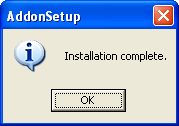
Click "OK" to close the window.
Remember:
This way of installation of GC series is available from V3.0.1 upward. |
|
| Back to top |
|
|
|
|
You cannot post new topics in this forum
You cannot reply to topics in this forum
You cannot edit your posts in this forum
You cannot delete your posts in this forum
You cannot vote in polls in this forum
|
Powered by phpBB © 2001, 2005 phpBB Group
Fa-ti si tu propriul forum GRATUIT, pe www.myforum.ro |
 FAQ
FAQ Search
 Memberlist
 Usergroups
 Register
 Profile
 Log in to check your private messages
 Log in


