 |
plc.myforum.ro
PLCs users www.plc.myforum.ro!
|
| View previous topic :: View next topic |
| Author |
Message |
AnteSavilt
Member 2


Joined: 13 Feb 2018
Posts: 264
Location: Croatia
|
 Posted: 27/08/2020 19:34 Post subject: Multi Fieldbus Configuration Tool (MFCT) Posted: 27/08/2020 19:34 Post subject: Multi Fieldbus Configuration Tool (MFCT) |
 |
|
Multi Fieldbus Configuration Tool (MFCT)
https://support.industry.siemens.com/cs/document/109773881/multi-fieldbus-configuration-tool
The Multi Fieldbus Configuration Tool is required for configuring a multi fieldbus engineering object.
Configuration involves three steps:
Configure station (configure and assign parameters, comparable with TIA Portal HW Config).
Transfer project to device (ET 200SP interface module IM155-6MF HF and PN/MF coupler).
Configure engineering object in engineering system of EtherNet/IP or Modbus TCP controller (addressing). The MFCT provides the project files required.
Functional scope
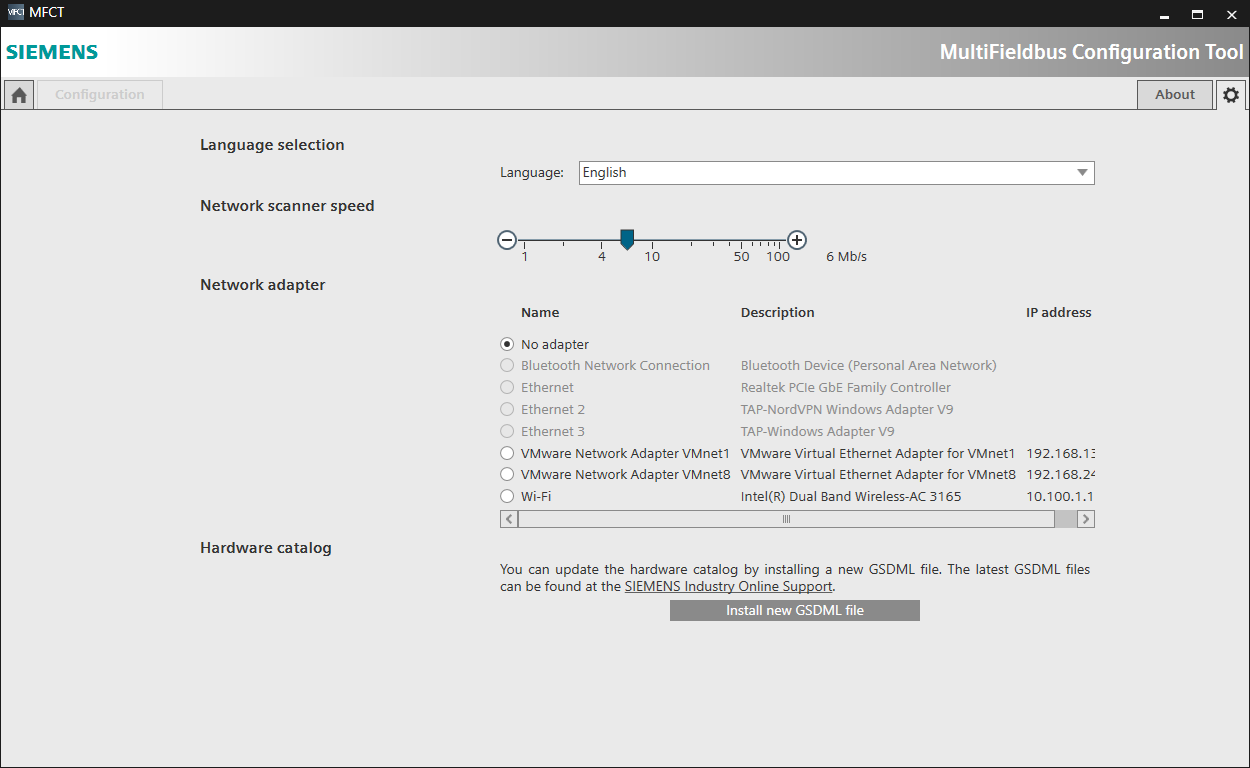
The MFCT features the following functions:
Project management
English and German language selection
Firmware update for MF devices
Ethernet network topology scan
Configuration of multi fieldbus engineering object (configuration und parameter assignment)
Provision of project files (project, UDT, CSV and EDS file)
Transfer/export of files to engineering object and/or data memory
System requirements
The MFCT runs on Windows 10. Start-up is possible without installation. Administrator rights are not required.
https://support.industry.siemens.com/cs/attachments/109773881/MFCT_1_1_0_0.Zip
https://anonfiles.com/f6K68eP2o8/MFCT_1_1_0_0_Zip |
|
| Back to top |
|
 |
grig100
Member 3


Joined: 01 Jan 2015
Posts: 752
|
| Posted: 21/12/2020 19:23 Post subject: Multi Fieldbus Configuration Tool (MFCT) |
|
|
Multi Fieldbus Configuration Tool (MFCT)
https://support.industry.siemens.com/cs/document/109773881/
The Multi Fieldbus Configuration Tool is required for configuring a multi fieldbus engineering object.
Configuration involves three steps:
Configure station (configure and assign parameters, comparable with TIA Portal HW Config).
Transfer project to device (ET 200SP interface module IM155-6MF HF and PN / MF coupler).
Configure engineering object in engineering system of EtherNet / IP or Modbus TCP controller (addressing). The MFCT provides the project files required.
The MFCT features the following functions:
| Quote: | Project management
English and German language selection
Firmware update for MF devices
https://support.industry.siemens.com/cs/attachments/109773881/mfct_firmware_update_product_info_de_en_es_fr_it_zh.pdf
Ethernet network topology scan
Configuration of multi fieldbus engineering object (configuration and parameter assignment)
Provision of project files (project, UDT, CSV and EDS file)
Transfer / export of files to engineering object and / or data memory
System requirements
The MFCT runs on Windows 10. Start-up is possible without installation. Administrator rights are not required. |
Download
https://support.industry.siemens.com/cs/attachments/109773881/MFCT_1_1_0_2.Zip
https://ulozto.net/tamhle/g2znOYj8YXsZ/
https://anonfiles.com/Vav9n616p5/mfct_firmware_update_product_info_de_en_es_fr_it_zh_pdf
https://anonfiles.com/h2w9na18p8/MFCT_1_1_0_2_Zip
[url=http://www.girlshare.ro/3769998542.2]mfct_firmware_update_product_info_de_en_es_fr_it_zh.pdf[/url]
[url=http://www.girlshare.ro/3769998543.3]MFCT_1_1_0_2.Zip[/url] |
|
| Back to top |
|
|
|
|
You cannot post new topics in this forum
You cannot reply to topics in this forum
You cannot edit your posts in this forum
You cannot delete your posts in this forum
You cannot vote in polls in this forum
|
Powered by phpBB © 2001, 2005 phpBB Group
Fa-ti si tu propriul forum GRATUIT, pe www.myforum.ro |
 FAQ
FAQ Search
 Memberlist
 Usergroups
 Register
 Profile
 Log in to check your private messages
 Log in


