| View previous topic :: View next topic |
| Author |
Message |
tanoomand27
Junior

Joined: 13 Apr 2016
Posts: 5
|
 Posted: 05/03/2020 07:02 Post subject: I deleted Trial License EcoStruxure control Expert V14.0 Posted: 05/03/2020 07:02 Post subject: I deleted Trial License EcoStruxure control Expert V14.0 |
 |
|
Hi
I deleted Trial License EcoStruxure control Expert V14.0 in the License Manager so i cant opening the program , I want to restore the Trial License in the License Manager.
thank you fro All Comments |
|
| Back to top |
|
 |
tylycym22
Junior
Joined: 16 Sep 2018
Posts: 4
|
| Posted: 05/03/2020 16:34 Post subject: |
|
|
Deinstall all and install again..
https://www.se.com/ww/en/download/document/Ecostruxure_Control_ExpertV14/ |
|
| Back to top |
|
|
Kesoiga
Junior
Joined: 16 Sep 2018
Posts: 3
|
| Posted: 05/03/2020 16:45 Post subject: |
|
|
| https://www.youtube.com/watch?v=0bSzFztSt7k |
|
| Back to top |
|
|
assa
Junior
Joined: 16 Jul 2018
Posts: 8
|
| Posted: 08/03/2020 20:08 Post subject: Control Expert Version V14 |
|
|
How to uninstall Control Expert Version V14 ( former Unity Pro ) from your PC loaded with Windows 7 or Windows 10 Pro
Issue
Customer wants to uninstall the Control Expert Version V14 from his PC
Product Line
Control Expert V14 ( former Unity Pro )
Environment
Microsoft Windows 10 Pro
Version 10.0.17134 Build 17134
or
Windows 7
Resolution
Uninstall Control Expert V14.0 from control panel.
In the computer delete the content of the following folders:
C:\ProgramData\Schneider Electric\Control Expert
C:\ProgramData\Schneider Electric\CommonControlExpert
C:\Program Files (x86)\Schneider Electric\Control Expert
In the registry editor delete the following keys:
HKEY_LOCAL_MACHINE\SOFTWARE\Wow6432Node\Schneider Electric\Control Expert
HKEY_LOCAL_MACHINE\SOFTWARE\Wow6432Node\Schneider Electric\Control ExpertConfCatalog
HKEY_LOCAL_MACHINE\SOFTWARE\Wow6432Node\Schneider Electric\Control ExpertTypesLibrary |
|
| Back to top |
|
|
assa
Junior
Joined: 16 Jul 2018
Posts: 8
|
| Posted: 08/03/2020 20:10 Post subject: |
|
|
EcoStruxure Control Expert V14 is unable to install and gives Windows Installer Error Code 1722
Issue:
While installing EcoStruxure Control Expert V14, an error code 1722 will appear approximately 95% into the installation.
Product Line:
EcoStruxure Control Expert
Resolution:
When the error code 1722 appears while installing EcoStruxure Control Expert, try this following procedure to workaround this issue:
Restart Windows Installer Service
a. Click Start, Click Run and type “Services.msc” (without quotes) and press Enter.
b. Double-click Windows Installer.
c. Stop/Start the Windows Installer
d. Set the Startup type of Windows Installer to Manual.
Re-register the Windows Installer
a. Quit all Windows programs.
b. Click Start, All Programs, Accessories and click Run. Type “msiexec /unregister” (without quotes) in the Open box, and then click OK.
c. Click Start, All Programs, Accessories and click Run. Type “msiexec /regserver” (without quotes) in the Open box, and then click OK. Restart your computer.
Rename the Machine Keys folder
1) Rename C:\ProgramData\Microsoft\Crypto\RSA\MachineKeys folder to MachineKeys.old
2) Recreate C:\ProgramData\Microsoft\Crypto\RSA\MachineKeys folder
3) Move C:\ProgramData\Microsoft\Crypto\RSA\MachineKeys.old to C:\Temp\ |
|
| Back to top |
|
|
assa
Junior
Joined: 16 Jul 2018
Posts: 8
|
| Posted: 08/03/2020 20:16 Post subject: |
|
|
Note: EcoStruxure Control Expert v14.0 and above uses the newer shared Schneider Electric License Manager Tool.
It is located in the default install location:
C:\Program Files (x86)\Schneider Electric\License Manager\LicenseManager.exe |
|
| Back to top |
|
|
assa
Junior
Joined: 16 Jul 2018
Posts: 8
|
| Posted: 08/03/2020 20:19 Post subject: |
|
|
When installing the 30 day trial version of EcoStruxure Control Expert v14, should I uninstall Unity Pro or install in a virtual machine leaving Unity Pro installed?
Published date: 13 May 2019
Issue
The license format of Unity Pro software has changed with EcoStruxure Control Expert v14.
Installing the trial version will remove the permanent Unity Pro authorization.
NOTE: Control Expert v14 can be installed over a previous version of Unity Pro (>version 4.0).
Resolution
If the customer has not received a permanent Control Expert v14 authorization code, installing EcoStruxure Control Expert v14 in a virtual machine during the 30 day trial period
is an alternative. In this way, the existing Unity Pro authorization remains intact until the customer receives the permanent authorization code for Control Expert.
https://www.se.com/ww/en/faqs/FA374841/ |
|
| Back to top |
|
|
Firez45
Junior
Joined: 19 Sep 2018
Posts: 12
|
| Posted: 08/03/2020 21:09 Post subject: Re: I deleted Trial License EcoStruxure control Expert V14.0 |
|
|
| tanoomand27 wrote: | Hi
I deleted Trial License EcoStruxure control Expert V14.0 in the License Manager so i cant opening the program , I want to restore the Trial License in the License Manager.
thank you fro All Comments |
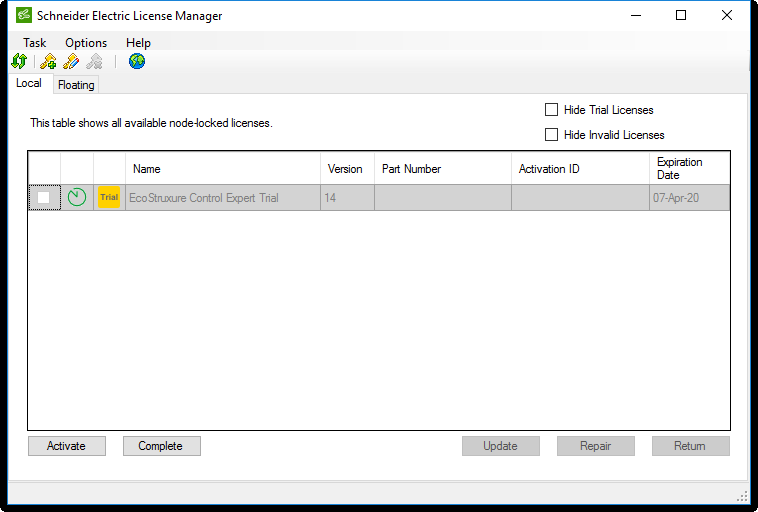
Install License Manager again and
Choose No
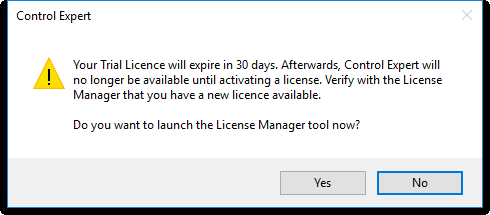
open on trial
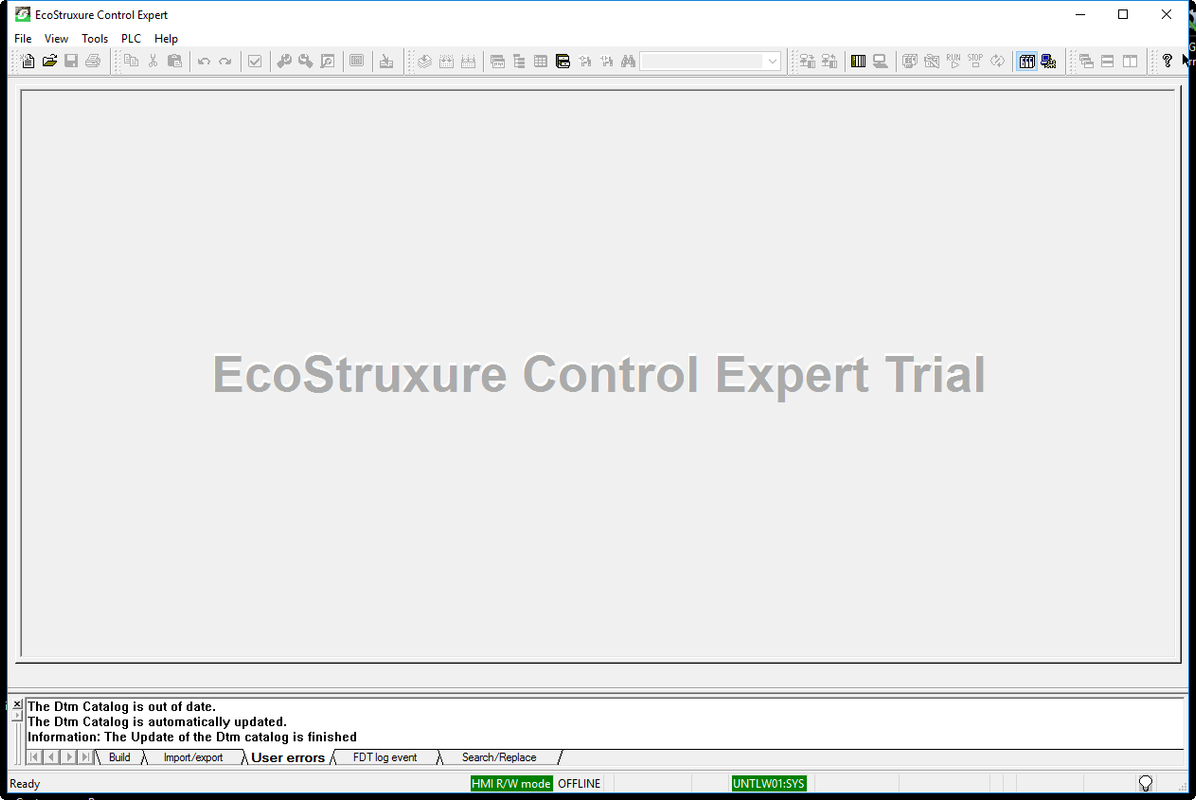
trial license
open demo project
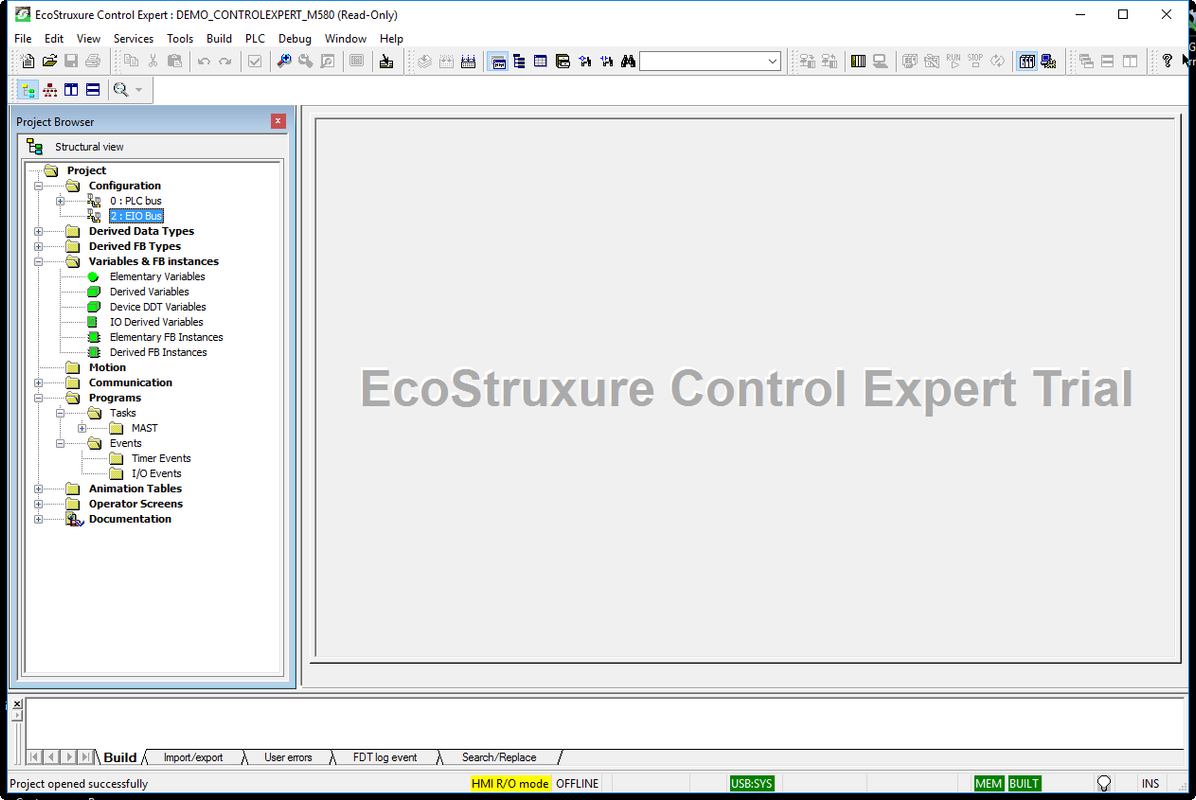 |
|
| Back to top |
|
|
Firez45
Junior
Joined: 19 Sep 2018
Posts: 12
|
| Posted: 08/03/2020 21:28 Post subject: |
|
|
Download
https://www.mediafire.com/file/wxx2l65vgcwga1j/Control_Expert_v14.0_patch.zip/file
and copy/paste as in path
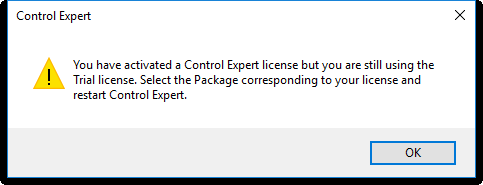
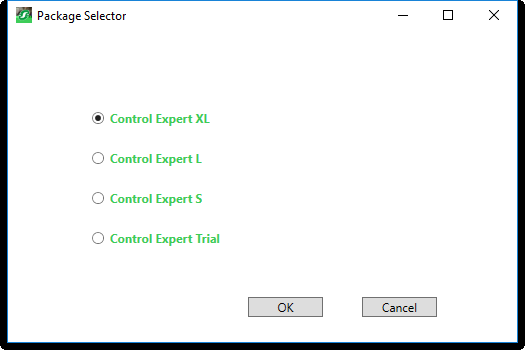
run again and
choose what you need
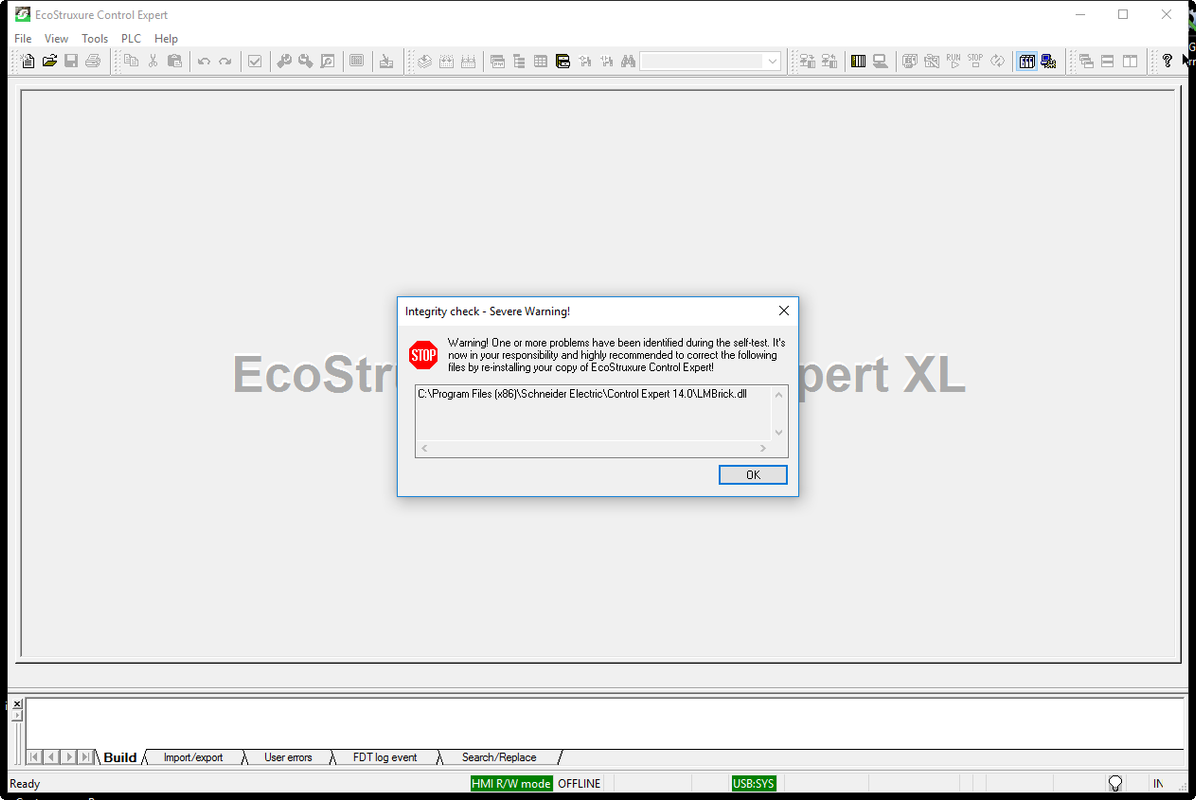
ignore
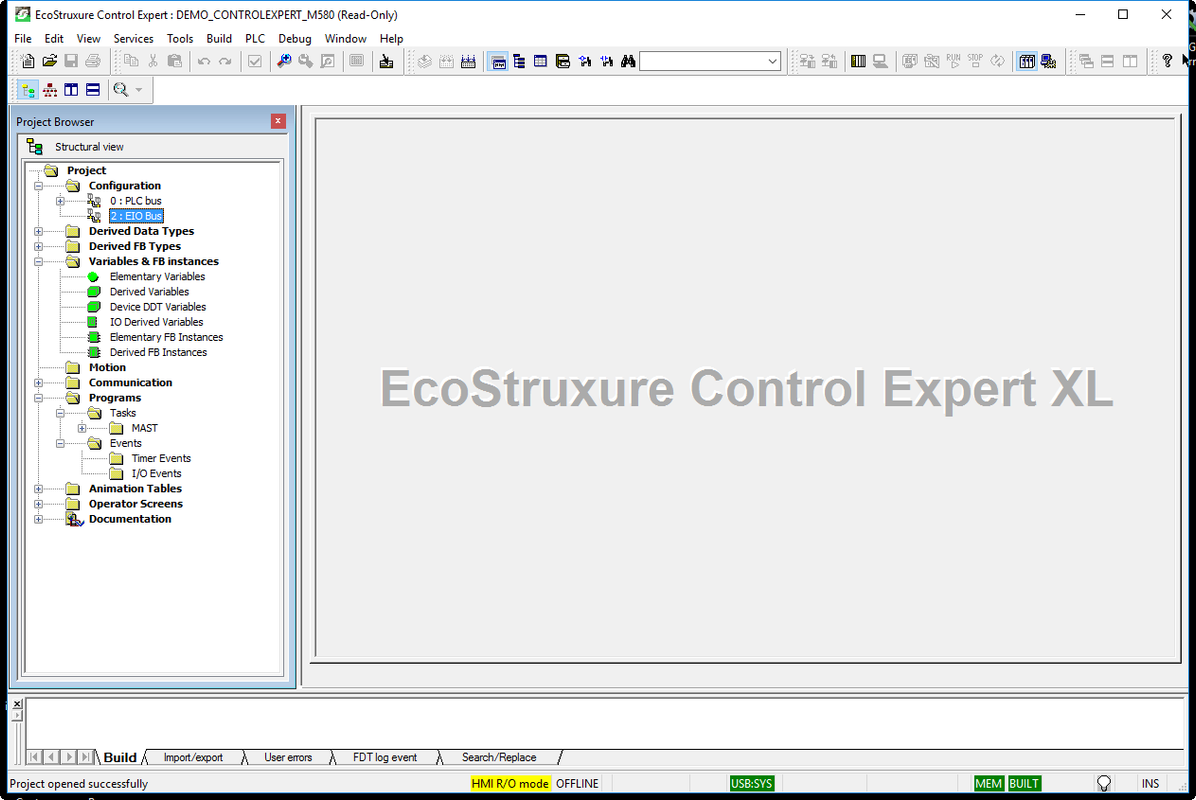
enjoy
 |
|
| Back to top |
|
|
tanoomand27
Junior
Joined: 13 Apr 2016
Posts: 5
|
| Posted: 03/04/2020 11:32 Post subject: |
|
|
thankful Firez45 for best answer   |
|
| Back to top |
|
|
|

 FAQ
FAQ Search
 Memberlist
 Usergroups
 Register
 Profile
 Log in to check your private messages
 Log in


