 |
plc.myforum.ro
PLCs users www.plc.myforum.ro!
|
| View previous topic :: View next topic |
| Author |
Message |
taktiz
Junior

Joined: 12 Sep 2018
Posts: 13
|
 Posted: 30/07/2020 12:27 Post subject: How do you scale the IO fields in WinCC SCADA (V7)? Posted: 30/07/2020 12:27 Post subject: How do you scale the IO fields in WinCC SCADA (V7)? |
 |
|
How do you scale the IO fields in WinCC SCADA (V7)?
https://support.industry.siemens.com/cs/document/109780723/how-do-you-scale-the-io-fields-in-wincc-scada- (v7)
In many cases, it is necessary to convert different units in WinCC Runtime (for example, grams to kilograms). You can do this using VB scripts. This FAQ response describes how this can be done for the input value and output value.
Problem
You cannot enter scaling factors for values in IO fields, for example, to scale the value of an IO field by a scaling factor (1000, for example).
To implement the functionality you need two VB scripts for one IO field.
Use the following VB script for the "Input value" property of the EA field with the "Event" "Execution on change":
Code block
| Code: | 'Reading the PLC variable "Integer"
Dim IntegerScal
Set IntegerScal = HMIRuntime.Tags("Integer")
'Assigning the value of the IO field
item.OutputValue = value
'Scaling the value with your chosen scaling factor
IntegerScal.Value = item.OutputValue * Scaling factor
'Writing the variable
IntegerScal.Write |
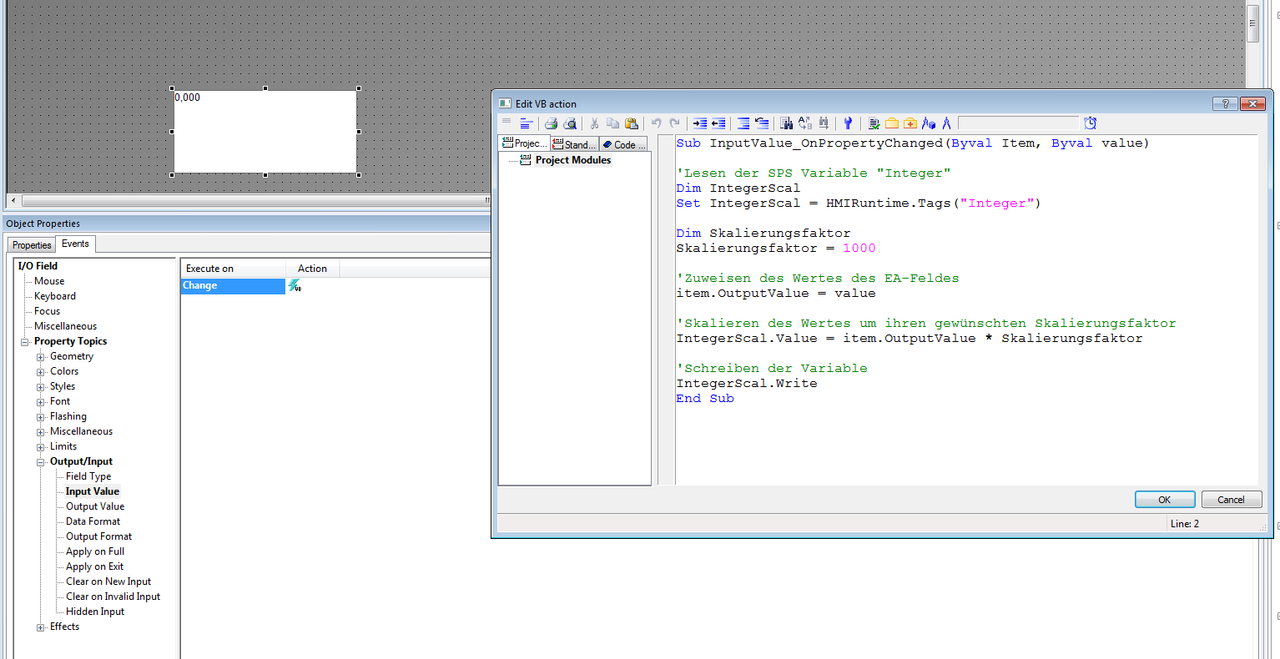
Fig. 1
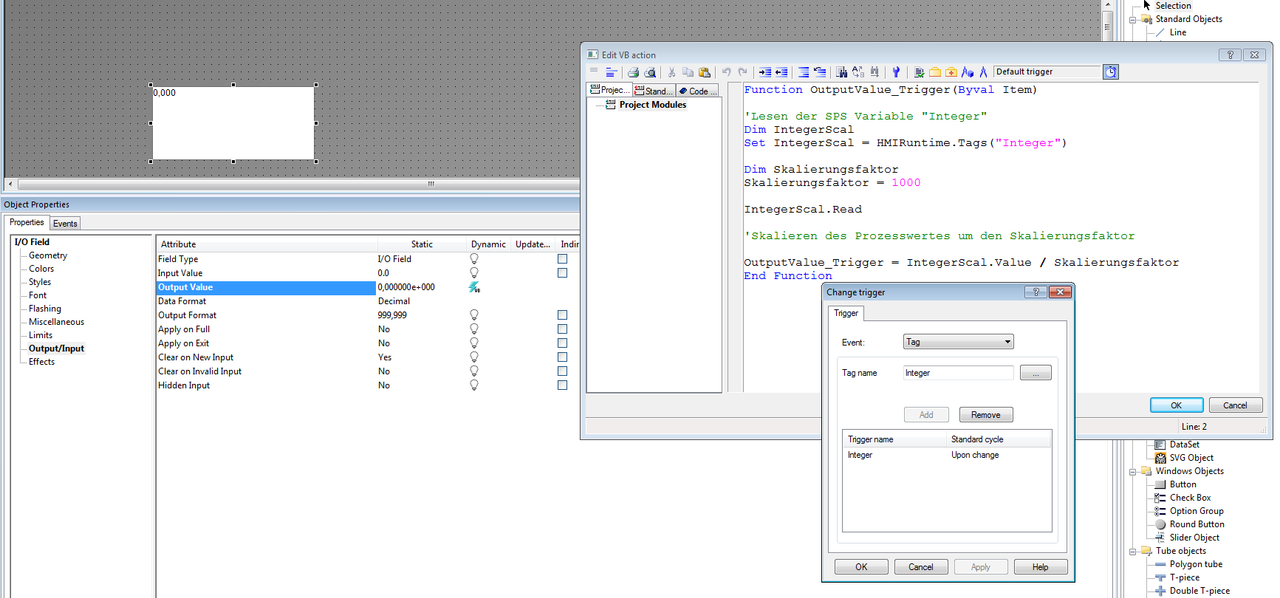
You also need a VB script for the "Process value" property.
Here you must read in the value of the PLC variable, divide it by the scaling factor (1000, for example) and transfer it as process value.
Code block
| Code: | 'Reading the PLC variable "Integer"
Dim IntegerScal
Set IntegerScal = HMIRuntime.Tags("Integer")
IntegerScal.Read
'Scaling the process value by the scaling factor
OutputValue_Trigger = IntegerScal.Value / Scaling factor |
As trigger here you have to set your PLC variable "Integer" to be scaled with the cycle "On change" (see Fig. 2).
 |
|
| Back to top |
|
 |
|
|
You cannot post new topics in this forum
You cannot reply to topics in this forum
You cannot edit your posts in this forum
You cannot delete your posts in this forum
You cannot vote in polls in this forum
|
Powered by phpBB © 2001, 2005 phpBB Group
Fa-ti si tu propriul forum GRATUIT, pe www.myforum.ro |
 FAQ
FAQ Search
 Memberlist
 Usergroups
 Register
 Profile
 Log in to check your private messages
 Log in


