scooby
Member

Joined: 25 Aug 2013
Posts: 238
Location: Dunquerque
|
 Posted: 12/02/2015 21:35 Post subject: How do you access S7-1200 tags with WinCC flexible 2008 SP2 Posted: 12/02/2015 21:35 Post subject: How do you access S7-1200 tags with WinCC flexible 2008 SP2 |
 |
|
How do you access S7-1200 tags with a panel or RT configured with WinCC flexible 2008 SP2?
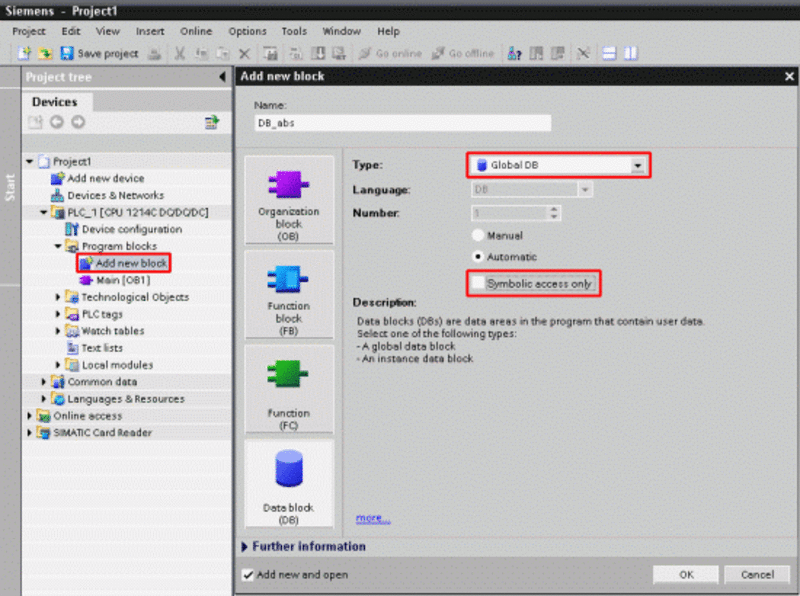
Create a data block using an absolute address in STEP 7 (TIA Portal) via "Add new block" and "Global DB".
Remove the check mark for the option "Symbolic access only" or choose the block access "Standard - compatible with S7-300/400" in STEP 7 V11.
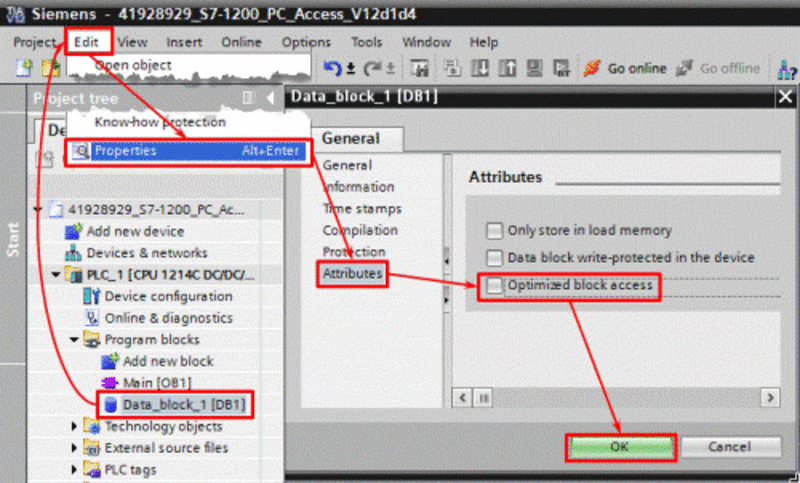
From STEP 7 V12 you must deactivate the attribute "Optimized block access" in the block properties after adding the data block.
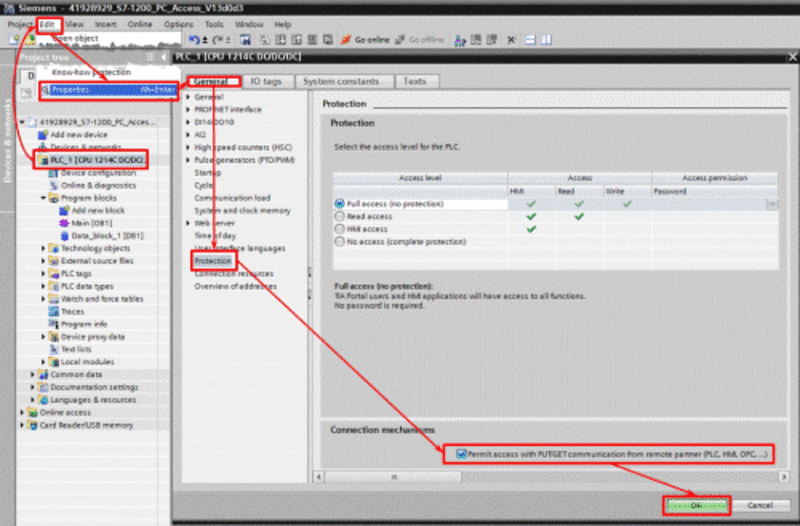
From CPU firmware V4 you have to activate the connection mechanism "Permit access with PUT/GET communication from remote partner (PLC, HMI, OPC, ...)" in the PLC properties in the menu "Protection".
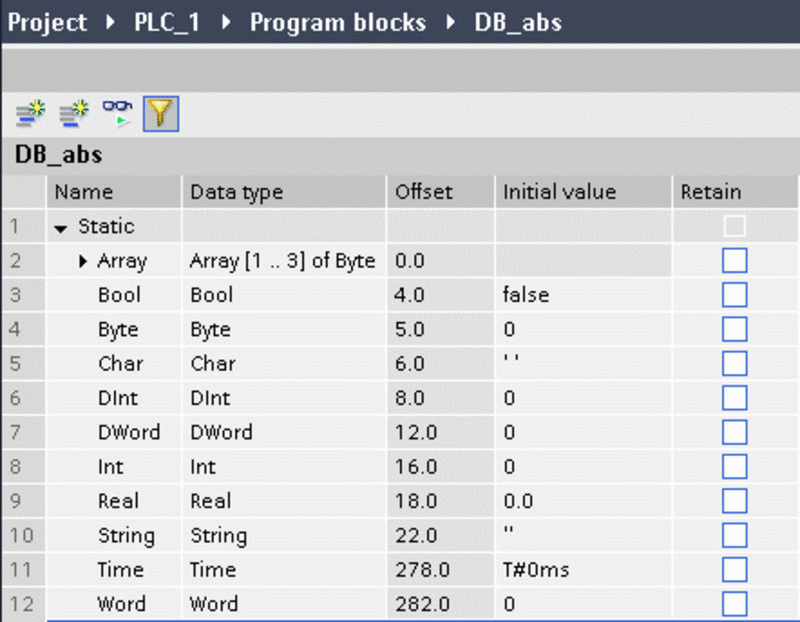
In the data block, you produse the tags that WinCC flexible 2008 will access.
In WinCC flexible 2008, you create a connection via "Communication > Connections".
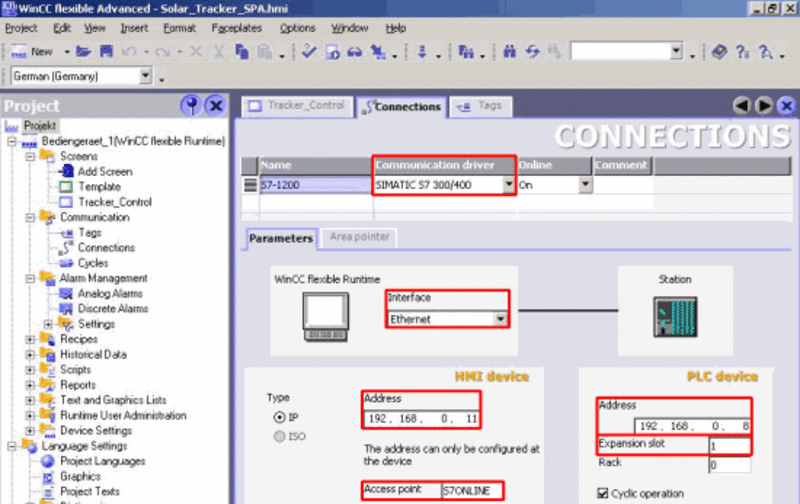
Open the PG/PC interface under "Start > Control panel > Set PG/PC interface".
In the PG/PC interface, you must set the access point "S7ONLINE" to "TCP/IP -> [Used network card]".

Create the S7-1200 tags using absolute addresses under "Communication > Tags" compare with Fig. 04).

Service Pack 2 for WinCC flexible 2008 is available under entry
https://support.industry.siemens.com/cs/#document/38612895 |
|

 FAQ
FAQ Search
 Memberlist
 Usergroups
 Register
 Profile
 Log in to check your private messages
 Log in


