| View previous topic :: View next topic |
| Author |
Message |
nguyen xuan khanh
Member

Joined: 16 May 2012
Posts: 170
|
 Posted: 13/11/2013 04:36 Post subject: help me how to install WINCC 7.2 ?????? Posted: 13/11/2013 04:36 Post subject: help me how to install WINCC 7.2 ?????? |
 |
|
I installed Tia portal v12
then i try to install WinCC V7.2
but i can not install WinCC V7.2
fault:
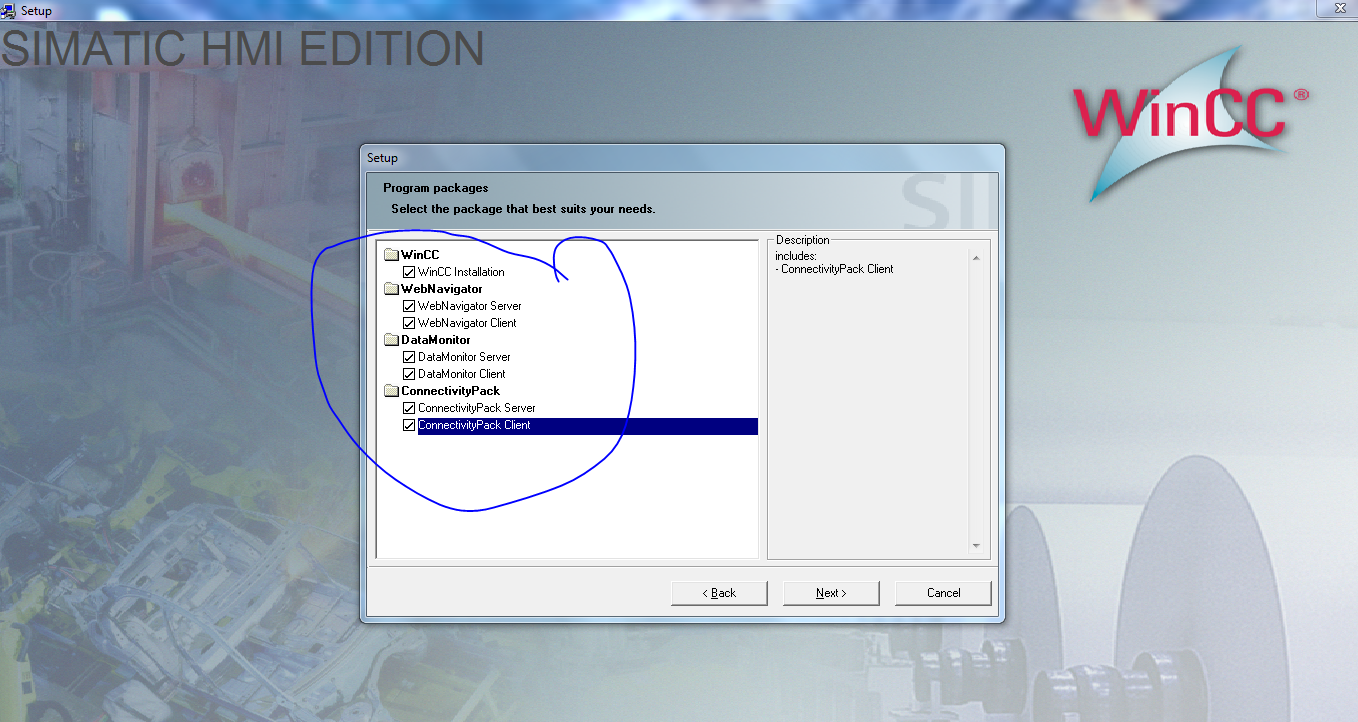

in this video: he has been installed successfully
https://www.youtube.com/watch?feature=player_embedded&v=92ylAUJ6ghQ
Everbody help me??? |
|
| Back to top |
|
 |
nguyen xuan khanh
Member
Joined: 16 May 2012
Posts: 170
|
| Posted: 14/11/2013 17:29 Post subject: help me how to install WINCC 7.2 ?????? |
|
|
thank you, i have installed successfully
 |
|
| Back to top |
|
|
rott
Senior

Joined: 23 Aug 2011
Posts: 2266
|
| Posted: 14/11/2013 17:59 Post subject: |
|
|
| Succesfully TIA Portal V12 not WinCC 7.2...???? |
|
| Back to top |
|
|
nguyen xuan khanh
Member
Joined: 16 May 2012
Posts: 170
|
| Posted: 15/11/2013 04:56 Post subject: help me how to install WINCC 7.2 ?????? |
|
|
yes,
I installed successfully Tia Portal V12 Sp1 and WinCC 7.2 on My Computer.
And i tested successfully connect between Tia Portal and WinCC.
In Tia portal: I assigned some variables Start: M0.0; Stop: M0.1; Motor: Q0.1
and in WinCC 7.2: i create some variables above, then i connect with Tia Portal by PLCSIM connection
it works okey.
Last edited by nguyen xuan khanh on 16/11/2013 18:18; edited 1 time in total |
|
| Back to top |
|
|
rott
Senior
Joined: 23 Aug 2011
Posts: 2266
|
| Posted: 15/11/2013 14:01 Post subject: Re: help me how to install WINCC 7.2 ?????? |
|
|
| nguyen xuan khanh wrote: | yes,
I installed successfully Tia Portal V12 Sp1 and WinCC 7.2 on My Computer.
And i tested successfully connect between Tia Portal and WinCC.
In Tia portal: I assigned some variables Start: M0.0; Stop: M0.1; Motor: Q0.1
and in WinCC 7.2: i create some variables above, then i connect with Tia Portal by PLCSIM connection
it work okey. |
Maybe one of them... |
|
| Back to top |
|
|
theagent1982
Junior

Joined: 02 Feb 2014
Posts: 2
|
| Posted: 24/04/2014 15:42 Post subject: How did you install? |
|
|
nguyen xuan khanh,
Thank you for you insperation!
Please provide step by step, how did you manage to install them both.
Because i stuck at the same problem of installation. Thank for your help and time! |
|
| Back to top |
|
|
rott
Senior
Joined: 23 Aug 2011
Posts: 2266
|
| Posted: 24/04/2014 16:44 Post subject: Re: How did you install? |
|
|
| theagent1982 wrote: | nguyen xuan khanh,
Thank you for you insperation!
Please provide step by step, how did you manage to install them both.
Because i stuck at the same problem of installation. Thank for your help and time! |
hello theagent1982,
I do not know what installed nguen but over WinCC&.2 you can install only TIA WiinCC Confort/Advanced and not WinCC Professional.
So you have to choose. |
|
| Back to top |
|
|
nguyen xuan khanh
Member
Joined: 16 May 2012
Posts: 170
|
| Posted: 24/04/2014 18:22 Post subject: Fwd: |
|
|
dear theagent1982.
i think you should install Tia Portal V13. with this version you can install Wicc basic and comfort/advanced parallel with WinCC V7.2 (Said by Siemens).
If you want to install Tia Portal V12 SP1 with WinCC V7.2. you can follow my steps.
1: You must install all Tia Portal V12 SP1( Step 7, PLCSim, WinCC Professional): you can download here: http://kickass.to/tia-portal-sp1-t8124773.html
2: Run setup WinCC Professional again, choose uninstall.( this step will completely uninstall WinCC professional and WinCC basic in Tia Portal V12 Sp1).
3: Install WinCC 7.2.
4: If you want to work with HMI basic panel on Tia Portal SP1. You should set up STep 7 ( in Tia Portal V12 SP1) again, choose install WinCC basic.
5: Install EKB. finished.
good luck! |
|
| Back to top |
|
|
|

 FAQ
FAQ Search
 Memberlist
 Usergroups
 Register
 Profile
 Log in to check your private messages
 Log in


