| View previous topic :: View next topic |
| Author |
Message |
ivan bratanov
Junior

Joined: 23 Aug 2019
Posts: 15
|
 Posted: 23/08/2019 14:30 Post subject: Connecting Delta TP70P-RM1 HMI to Inovance H1U-2416MT-XP. Posted: 23/08/2019 14:30 Post subject: Connecting Delta TP70P-RM1 HMI to Inovance H1U-2416MT-XP. |
 |
|
Hello and good day to you! I'm asking you to help me with a problem concernig lack of communication between a Delta TP70P-RM1 HMI panel and Inovance H1U-2416MT-XP PLC. Let me explain.
I have a machine driven by the PLC mentioned above.
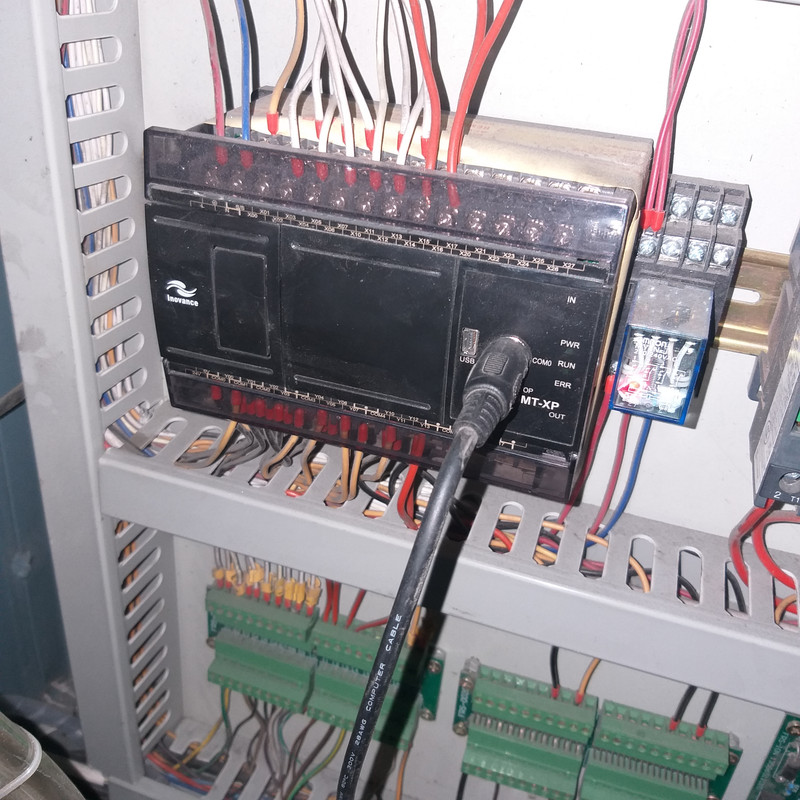
The PLC was working in cooperation with a Delta TP04G-AS2 text panel HMI.
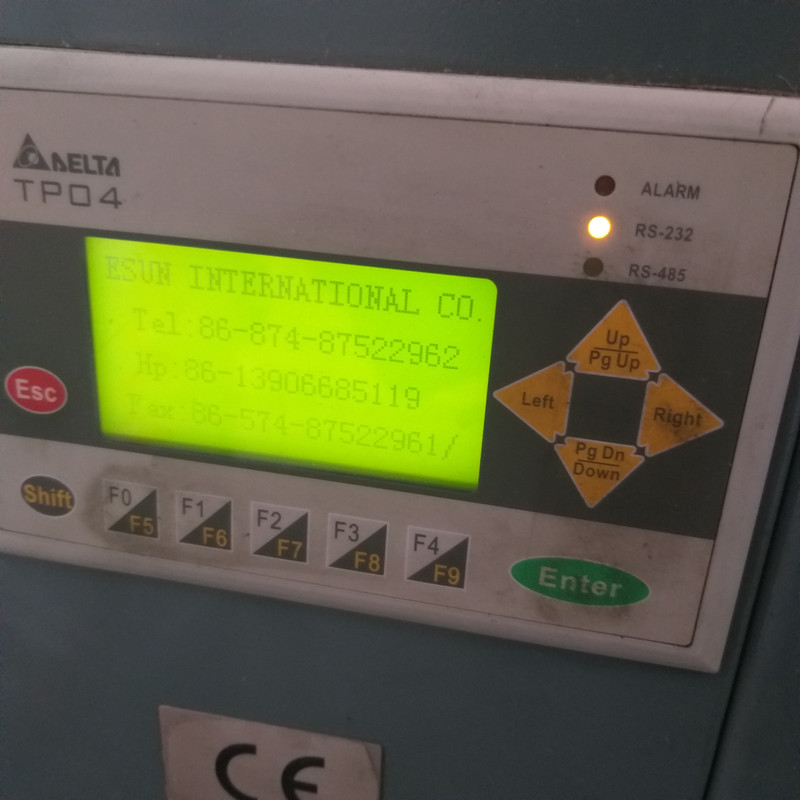
The panel was connected to the PLC via dedicated cable with D-SUB9 connector at the side of the panel and mini-DIN8 connector at the side of the PLC. It was using RS-232 protocol communication, confirmed by LED indicator on the front of the HMI.

I desided to replace the TP04G-AS2 text panel with Delta TP70P-RM1 color touch panel.
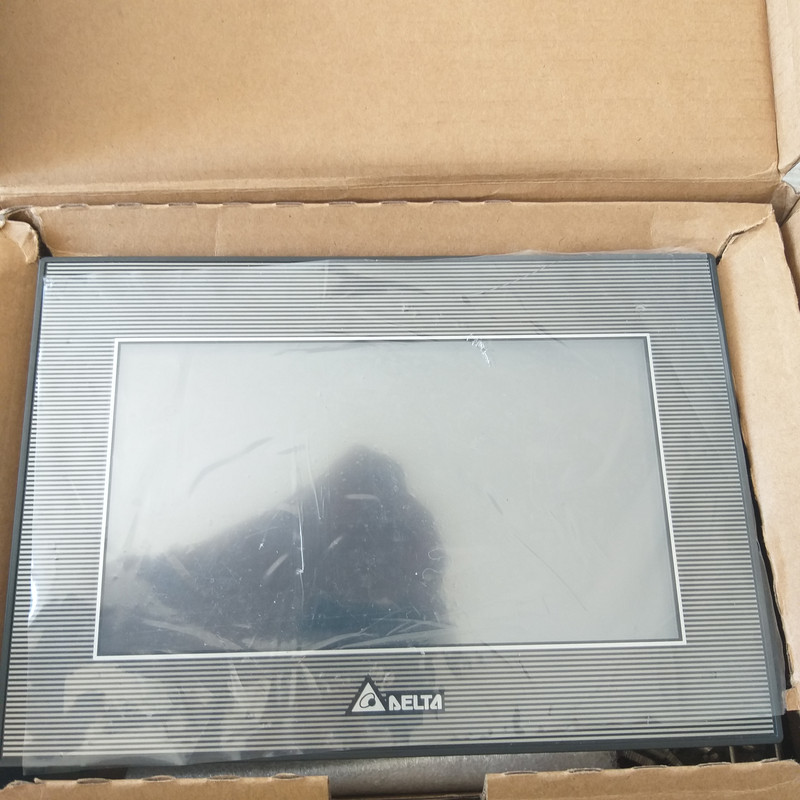
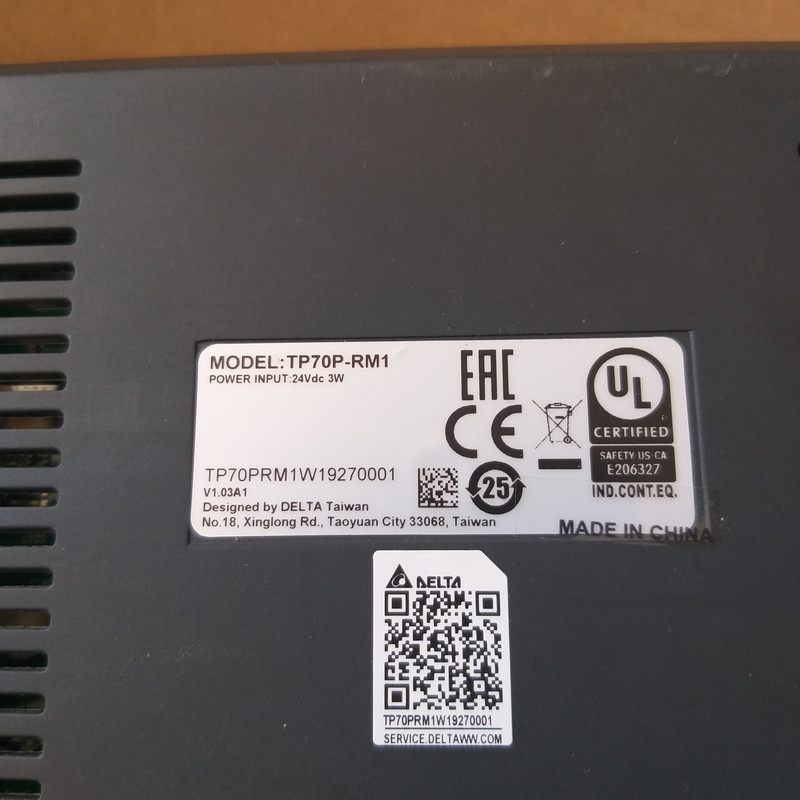
It has a single COM port for PLC communication and a USB port for program upload/download only.
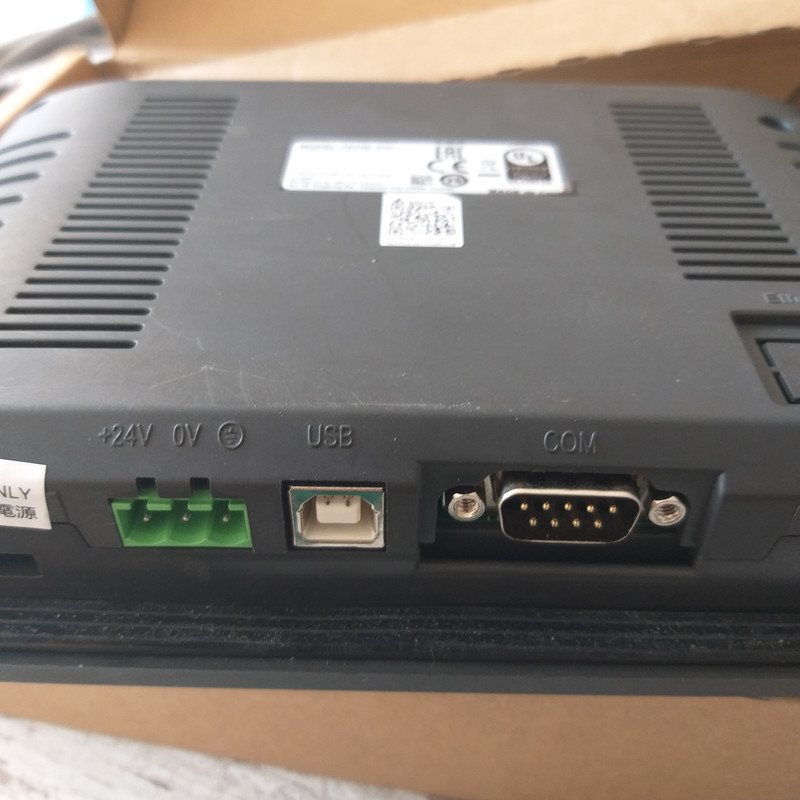
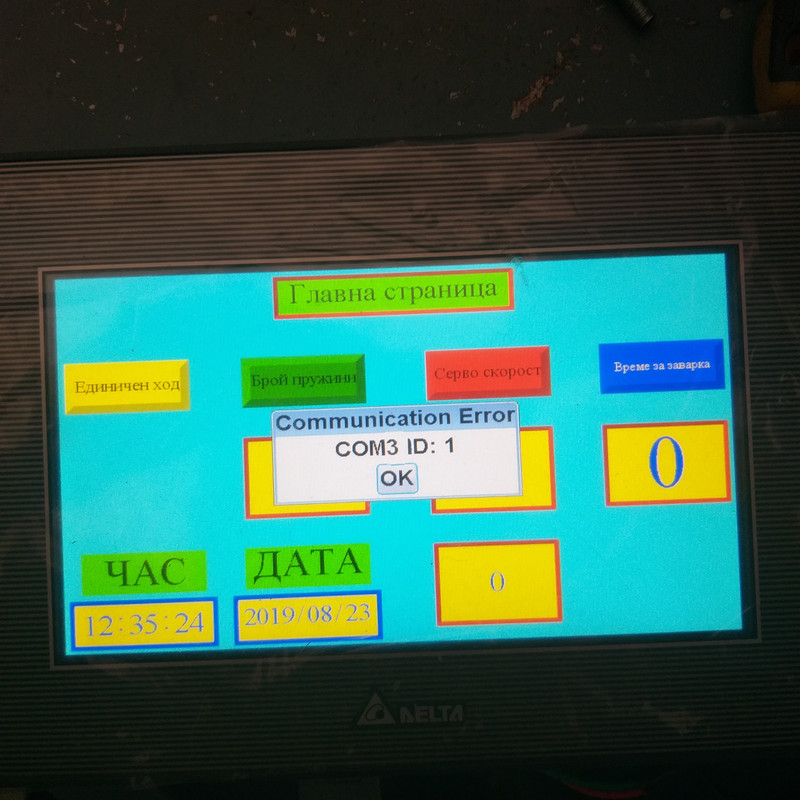
I tried to connect the TP70P panel to the PLC via the same cable used previously for the old TP04G panel, but it does not work!
The new panel shows the program inside it properly, but does not communicate with the PLC. As you can see, there is a communication error message appearing every 5 seconds.
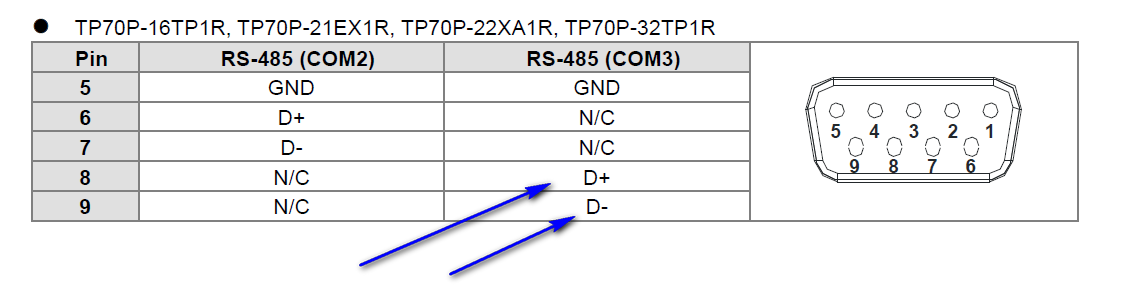
This is the datasheet of the new TP70P panel showing it's COM port and the pinout meaning.
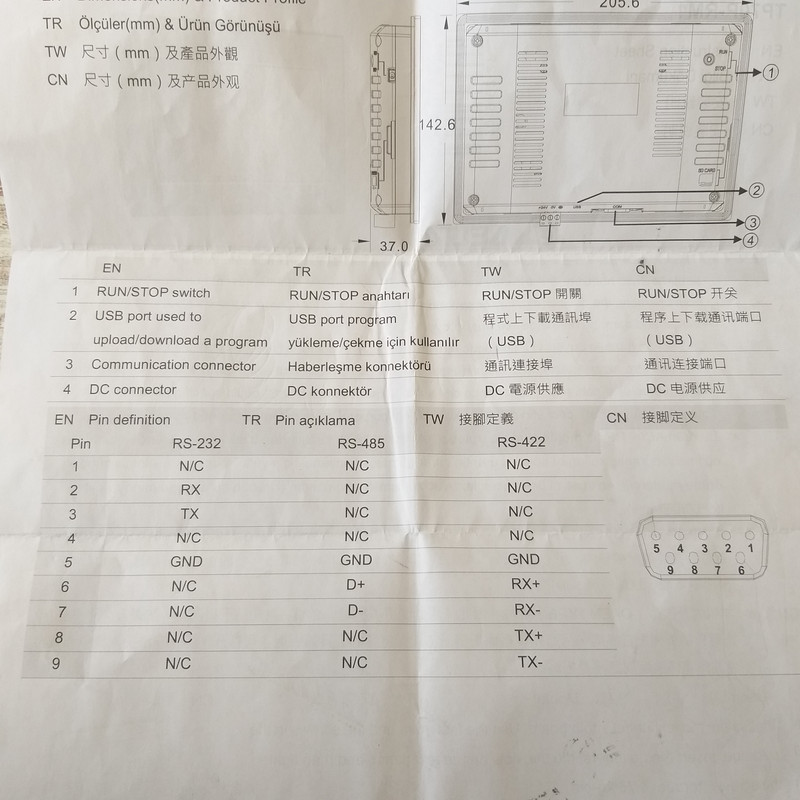
What could be the reason and what should I do to resolve the problem? Thank you! |
|
| Back to top |
|
 |
68LEKT
Junior
Joined: 13 Aug 2019
Posts: 5
|
| Posted: 23/08/2019 15:34 Post subject: |
|
|
Check some clues on this doc
https://anonfile.com/pa82Id3bn6/TP70P_Q_EN_20141031_pdf |
|
| Back to top |
|
|
ivan bratanov
Junior
Joined: 23 Aug 2019
Posts: 15
|
| Posted: 23/08/2019 15:46 Post subject: |
|
|
I already downloaded and read it, but it does not help me a lot. It only mentiones the TP70P-RM0 model, but mine is RM1. It says that RM0 has two ports (COM2 and COM3) but mine has only one (perhaps COM3, regarding the error message appearing on the screen). There is something else I don't understand.
What does this mean? That the COM port supports all the modes shown in the chart - RS-232, RS-422 and RS-485? Or only one of them? And if so, wwhich one? That is not clear at all.......
Thank you! |
|
| Back to top |
|
|
68LEKT
Junior
Joined: 13 Aug 2019
Posts: 5
|
| Posted: 23/08/2019 21:23 Post subject: |
|
|
Inovance H1U-2416MT-XP COM0 hardware has standard RS422 and RS485
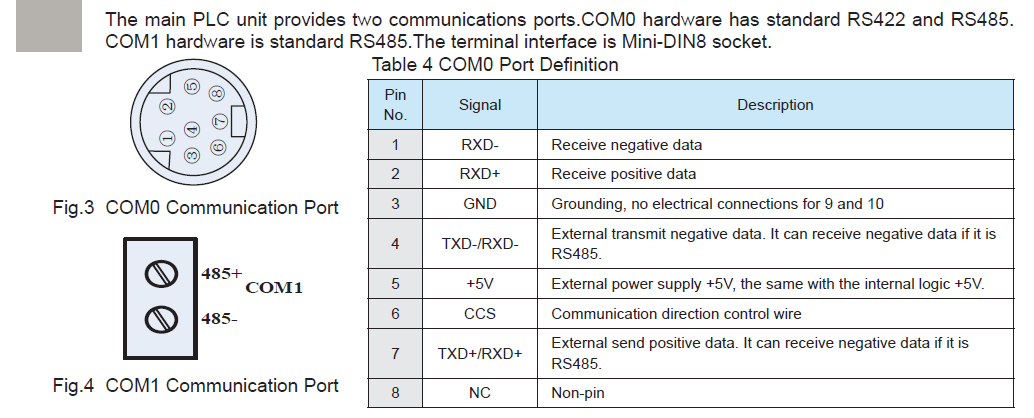
Definitions of the Pins in Communication Ports TP70P-RM0
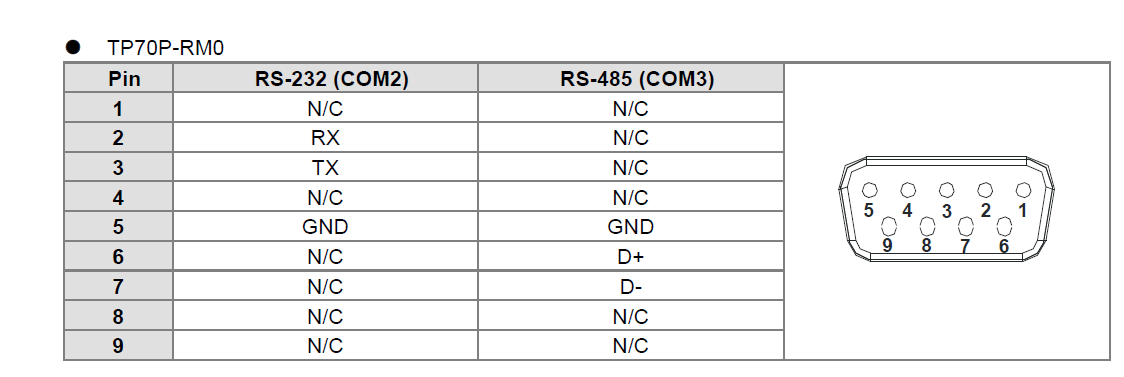
If you have COM3 error that seems you have howeverRS485 communicaion.
Try to check exactly the PLC cable pins and you find out what type of communication you have.
Then try to connect as in your picture
A:
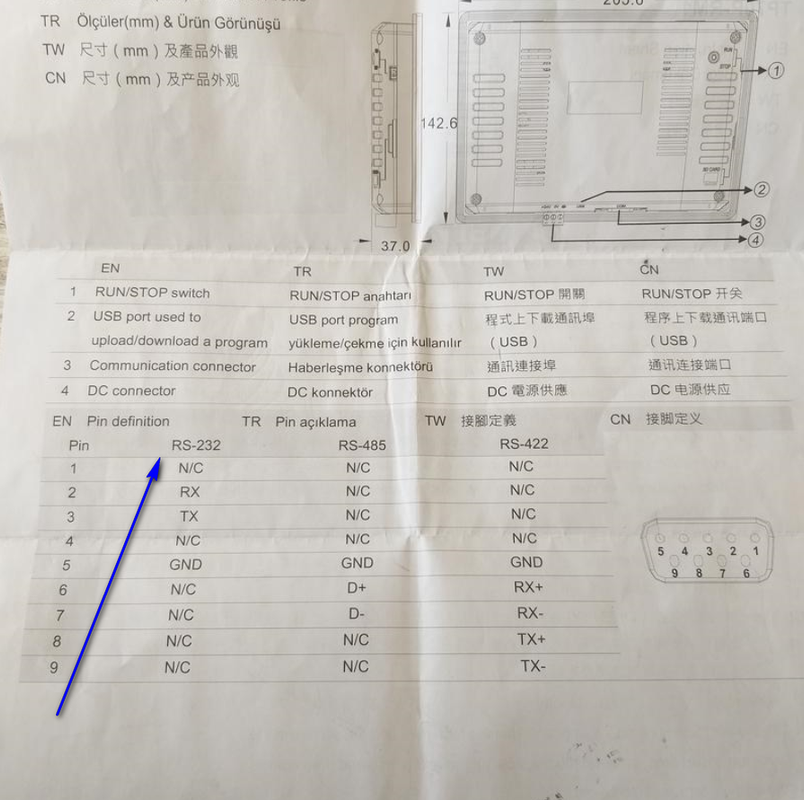
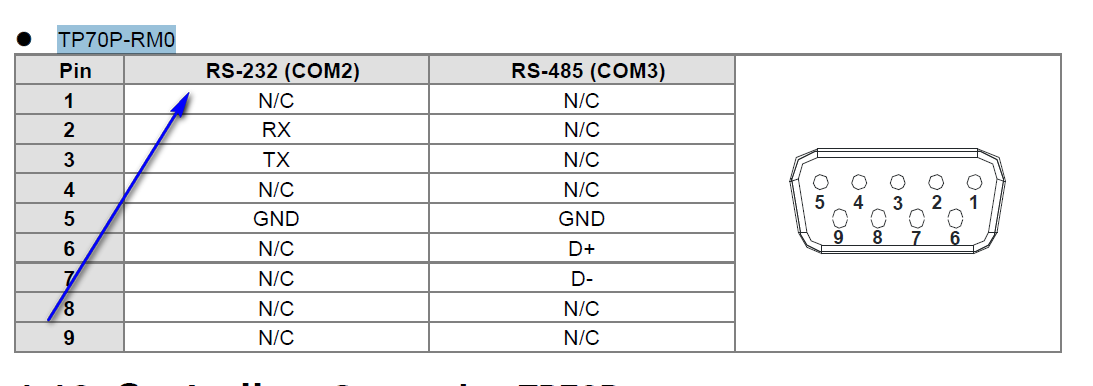
B:
My opinion is you have COM3 that means RS485
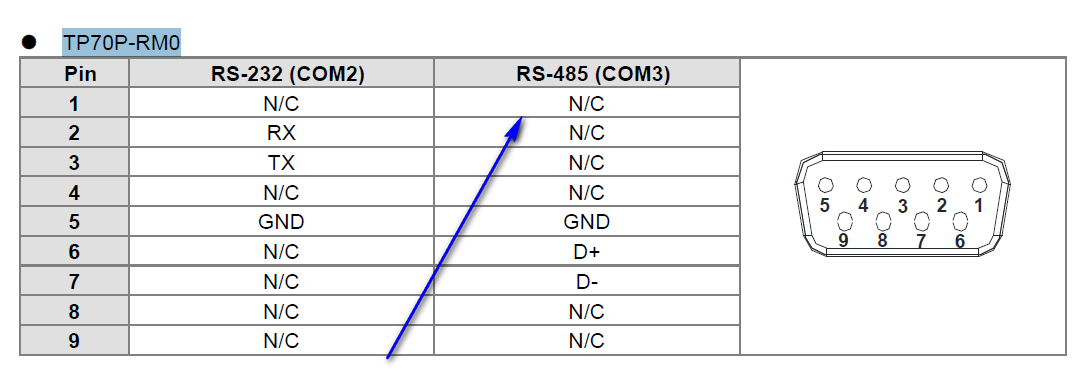
So try to use indications as in
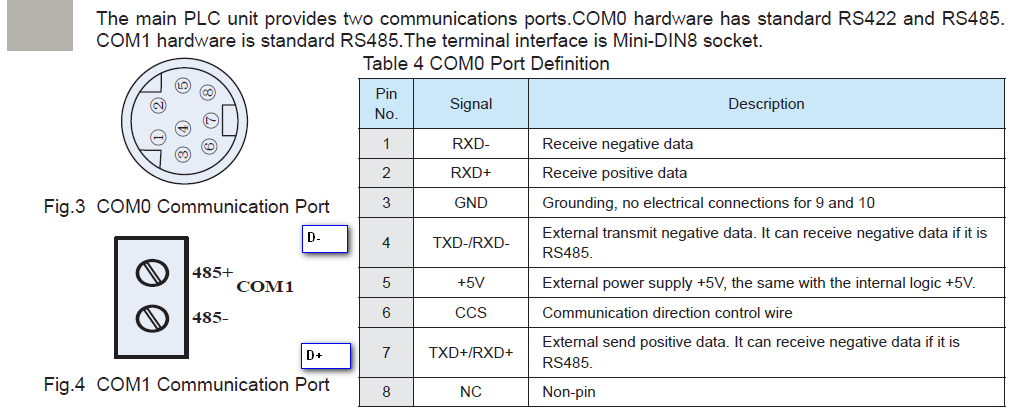
https://anonfile.com/Sdz0K53fn7/Inovance_H2U_H1U_pdf |
|
| Back to top |
|
|
ivan bratanov
Junior
Joined: 23 Aug 2019
Posts: 15
|
| Posted: 24/08/2019 13:23 Post subject: |
|
|
Thank you for the fast reply! Today I desided to check the pins of the each connector to the other of the existing cable which was used untill now with the old panel TP04G-AS2. But unfortunatelly the check raised more questions than answers. Just look at the picture! I've never seen a cable schematic like this!

There is only one line across the cable! How is this possible!?
And something else. I was under mistake when I said the TP04G-AS2 panel has only RS-232 communication. It has RS-232 and RS422 communication option selectable via 8 DIP switch inside the battery hole.
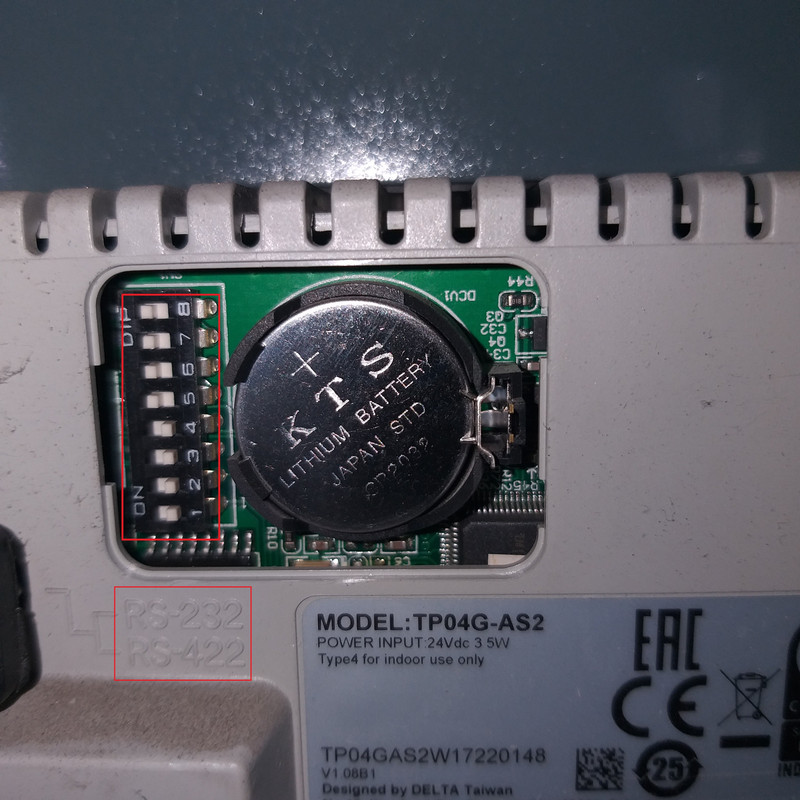
According to the datasheet, if the switches from 1 to 4 are OFF and switches from 5 to 8 are ON, this means RS-422 protocol,
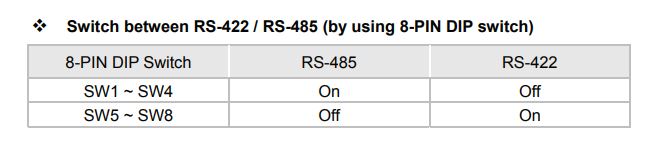
just like they are now. This means that the TP04G-AS2 panel transmitts data via RS-422. But how is this possible if there is only one line!? Furthermore the pin 5 of the D-SUB connector is GND!

Thank you! |
|
| Back to top |
|
|
|

 FAQ
FAQ Search
 Memberlist
 Usergroups
 Register
 Profile
 Log in to check your private messages
 Log in


